
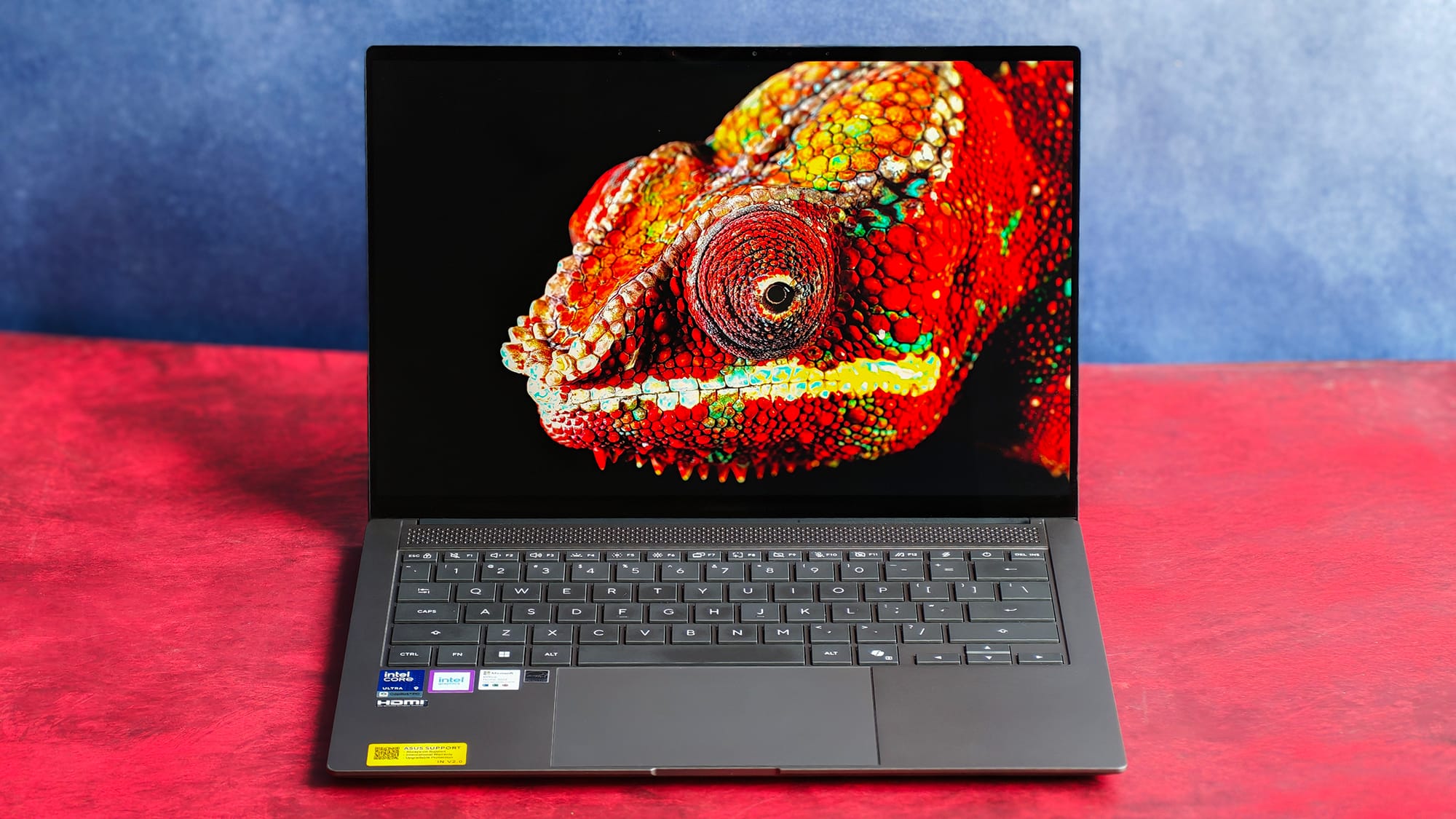
The Zenbook S14 has always been ASUS's pitch for the MacBook-toting executive, and its 2026 refresh, the UX5406AA, built with Intel's Panther Lake series Core Ultra 9 386H, doubles down on that brief.
The Zenbook S14 (2026) is a 1.2kg, 11mm-thin slab of ceramic and aluminium with a 14-inch 3K OLED touchscreen, 32GB of RAM, a 1TB SSD, and a Copilot+ badge it largely doesn't really need.
At ₹2,49,990, it aims to challenge the M5 Pro MacBook Pro, with confidence. After two weeks of using it as my primary work machine, I've written this entire review to tell you where it earns its price — and where it stumbles.
TL;DR
The ASUS Zenbook S14 (UX5406AA) beautifully built, genuinely portable OLED ultrabook with surprisingly good battery life and a class-leading display, undone for me by weak speakers and a flaky IR camera. If audio matters, look elsewhere; if it doesn't, this is one of the most desirable Windows laptops you can carry.
Design and build: The best part of the package
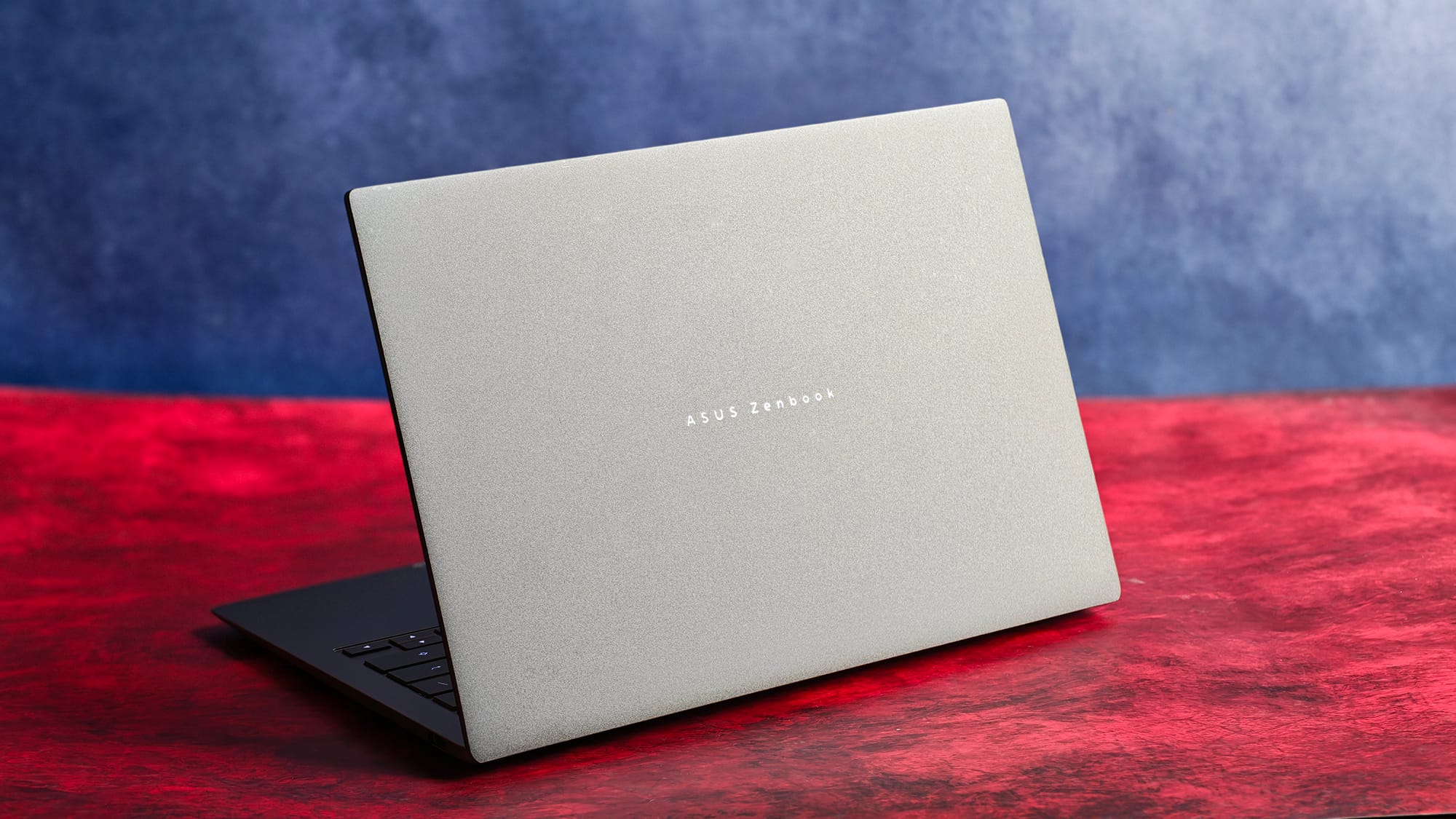
Let's start with what I love: the lid made of Ceraluminum, a chalky, ceramic-aluminium fusion that's finished in grey. It feels unlike anything else in this category, resists fingerprint smudges beautifully, and is easily my favourite thing about the laptop.
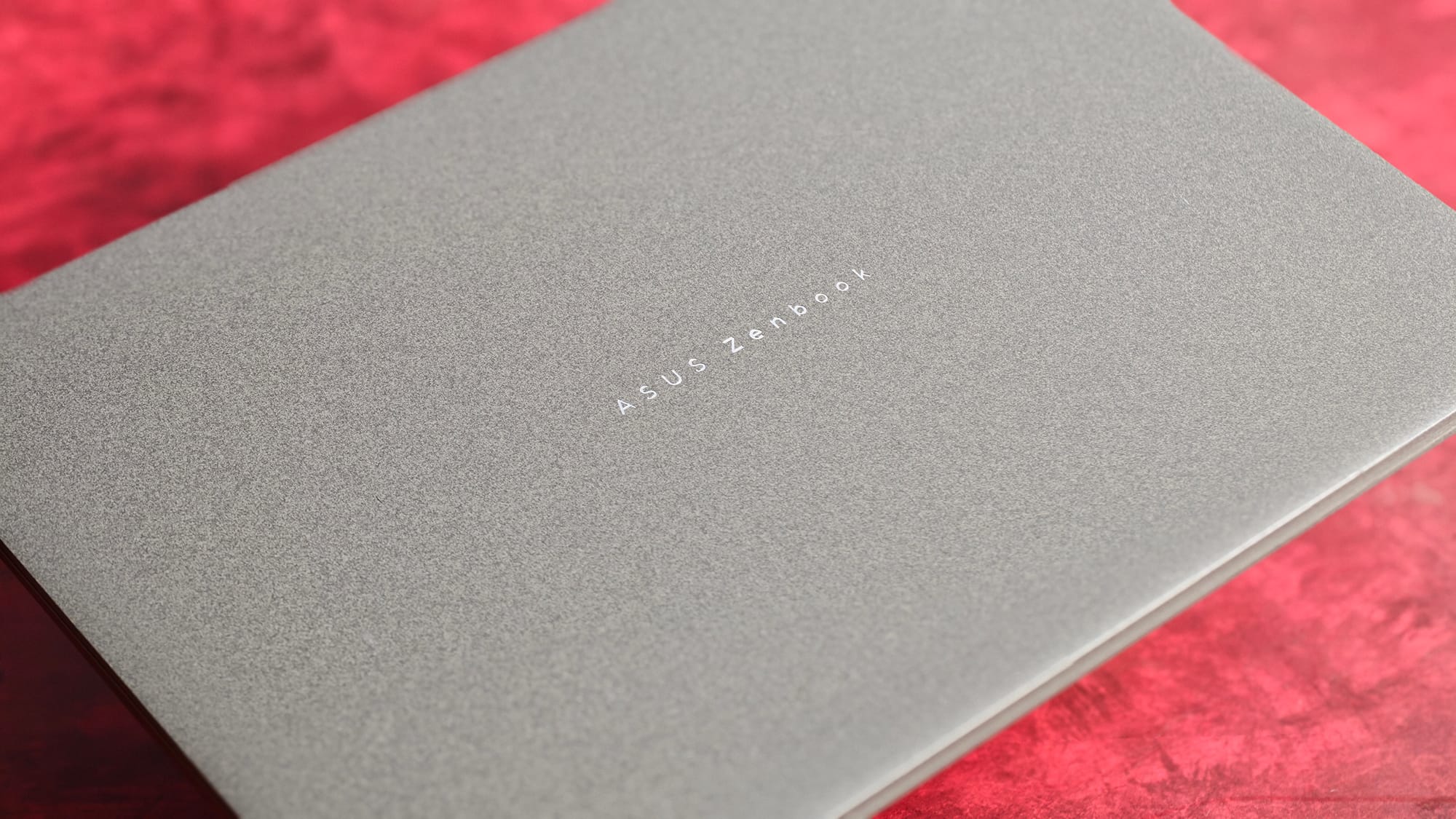
The rest of the chassis (the keyboard deck, the bottom plate) is plain aluminium, but the whole thing feels cohesive and premium in an "Antrim Grey" colourway.
At 1.2kg and a hair over a centimetre thick; it disappears into a bag, and I can lift the lid with a single thumb without the base coming up with it, a small detail that signals good weight distribution.
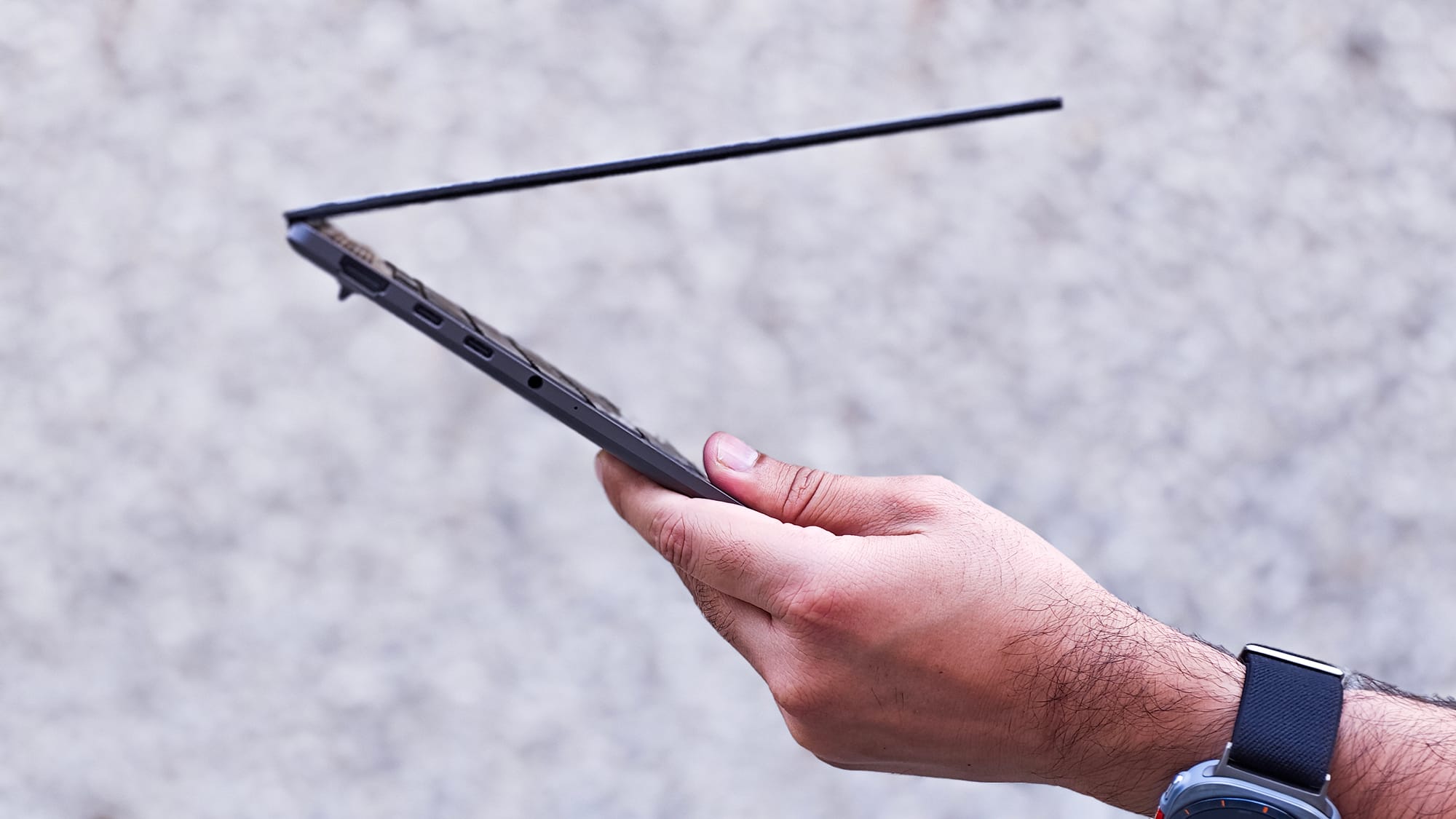
There's no flex anywhere, and the deck and lid feel genuinely rigid, which is backed by the MIL-STD 810H rating.
My gripes, however, are with the ergonomics. The edges around the ports are sharp and can dig into your fingers when you carry the laptop open, which I do often to keep background agents alive and prevent the laptop from sleeping.
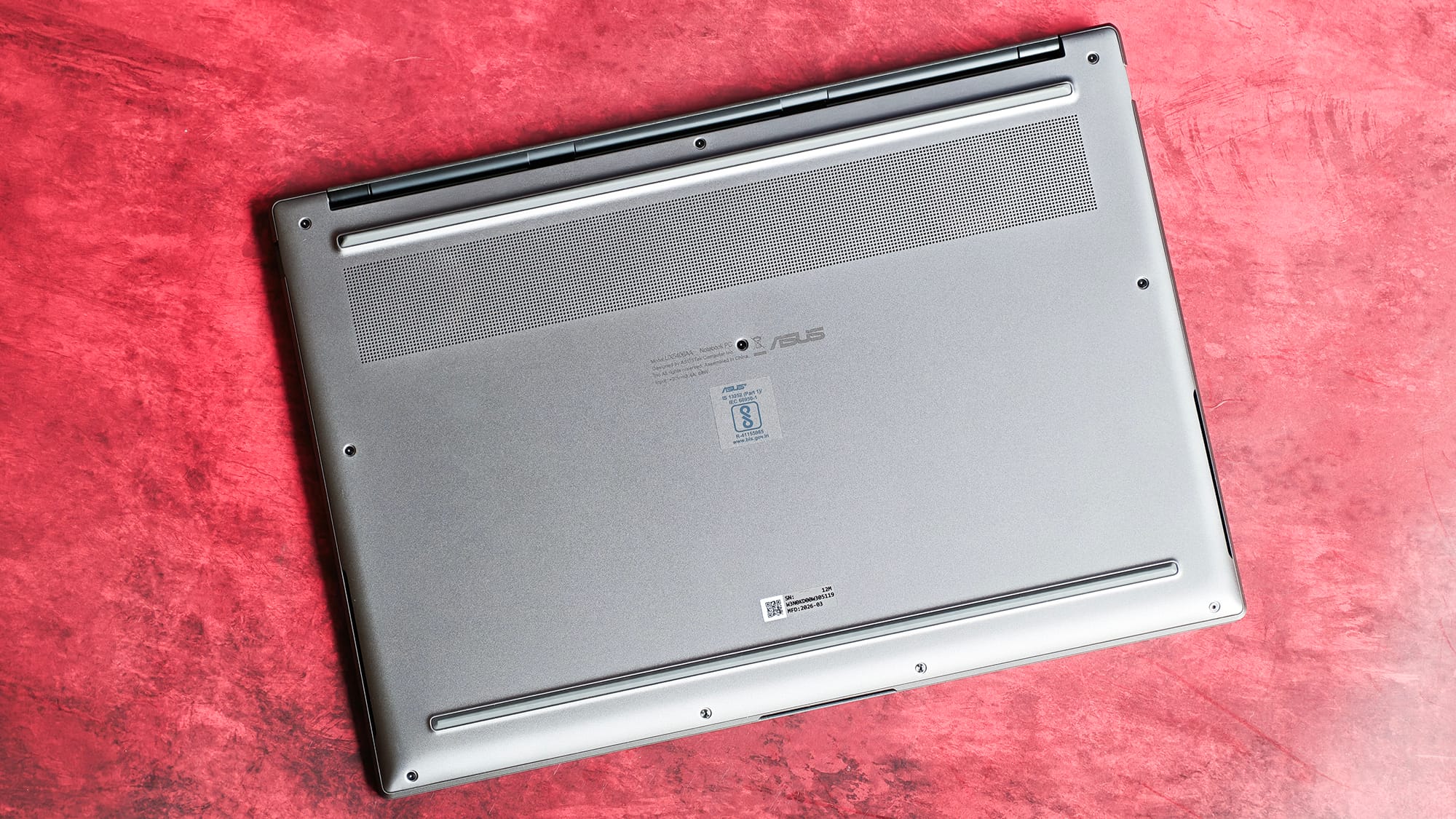
The rubber strip along the bottom isn't to my taste either, and putting the vents underneath does not feel like a smart move, as it makes the laptop awkward to use on the lap's top.
The lid also tops out at roughly 150 degrees. That's useful for sharing a screen across a desk, but I wish it went further, so as to allow a tent or flip mode to give the touchscreen a reason to exist.
Display: Mostly stunning
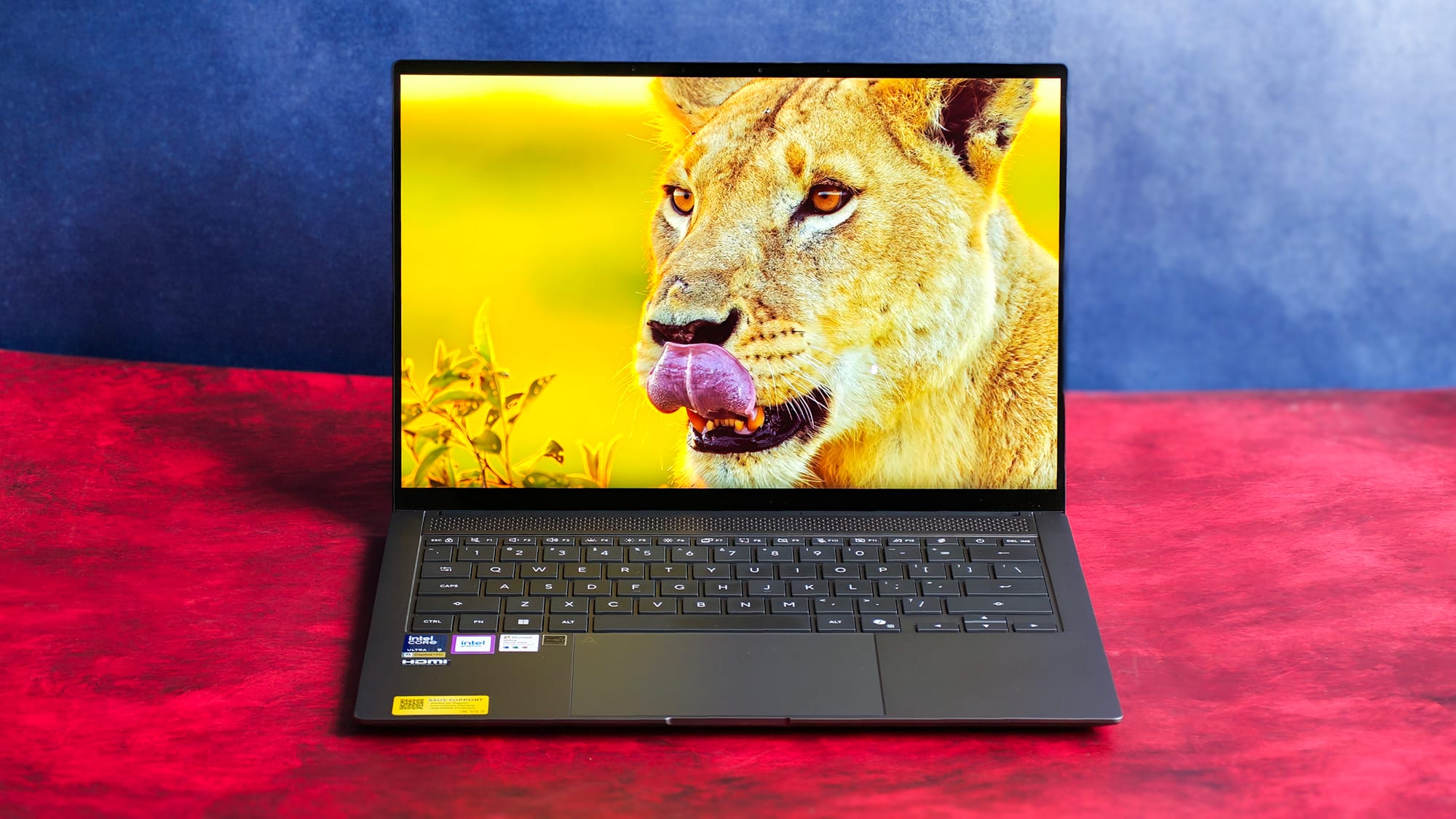
The 14-inch, 2880 x 1800 pixels OLED is the headline act, and it delivers on most of what it promises, i.e., 120Hz with the deep, true blacks only OLED can do.
I measured 0nits on a black screen with a lux meter, confirming no backlight and practically infinite contrast. That's a real advantage over the mini-LED panel on a MacBook Pro, which can't switch off light at the pixel level.
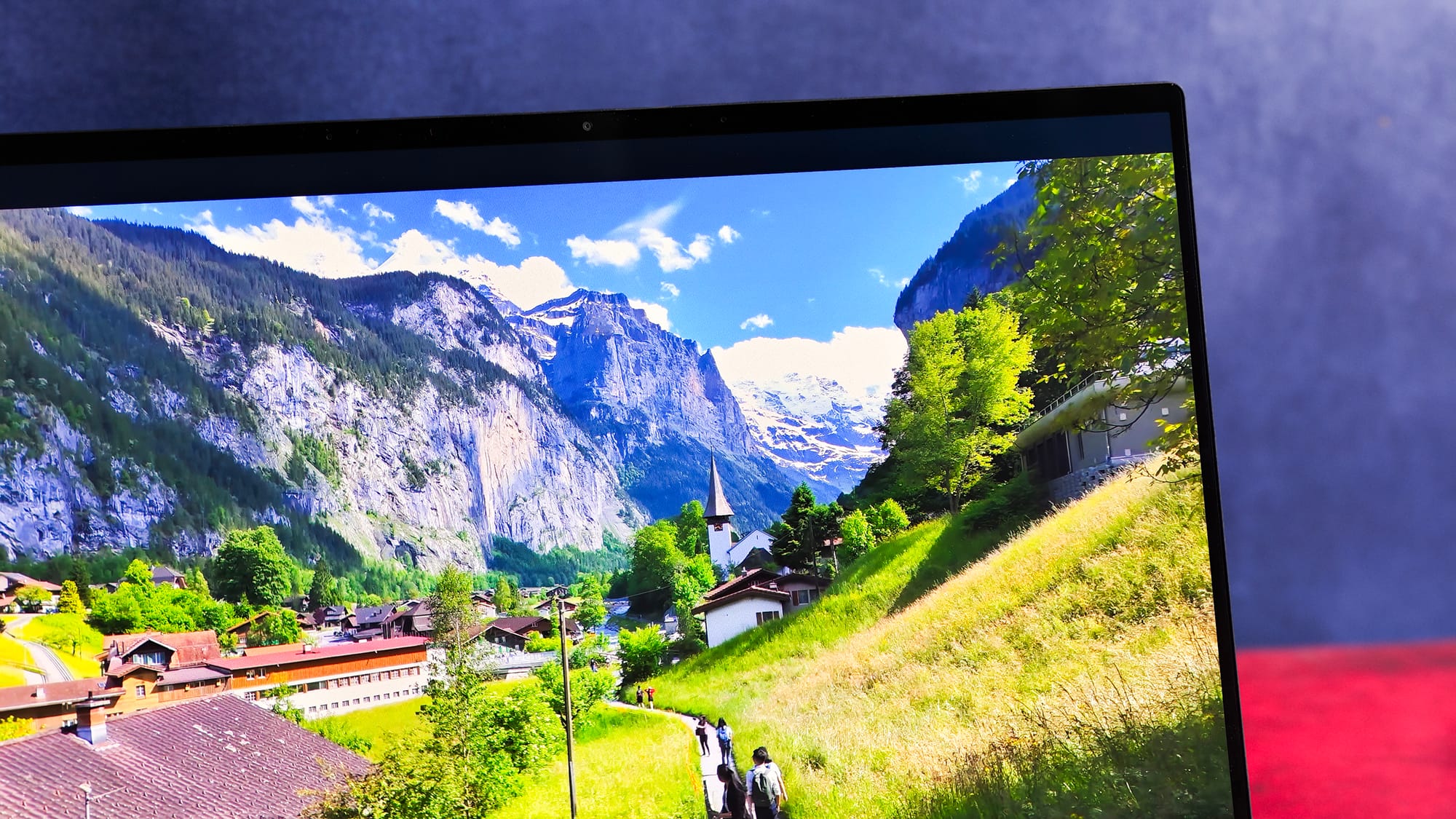
The brightness numbers, however, deserve some scrutiny. ASUS quotes 500nits SDR and 1100nits HDR peak. On my unit, the lux meter topped out around 220 nits in SDR and roughly 300 nits in HDR, and brightness wasn't uniform across the panel.
The 1100-nit figure is almost certainly a peak, pixel-level measurement rather than anything you'll see full-screen. In practice, however, it never felt starved. The panel's brightness was roughly on par with my Mini LED M4 Pro MacBook Pro indoors, but the gap between the spec sheet and reality is large enough to flag.
The 120Hz is as smooth as you'd expect, though I noticed an odd jitter the first time I touched the screen to scroll. Touch is responsive, but I rarely reach for it outside of reading. There's a neat IR-driven feature that dims the screen when you look away.
For night use, the panel is easy on the eyes. I disliked Windows' Night Light (it pushed whites green), but the adaptive colour mode warmed things up nicely.
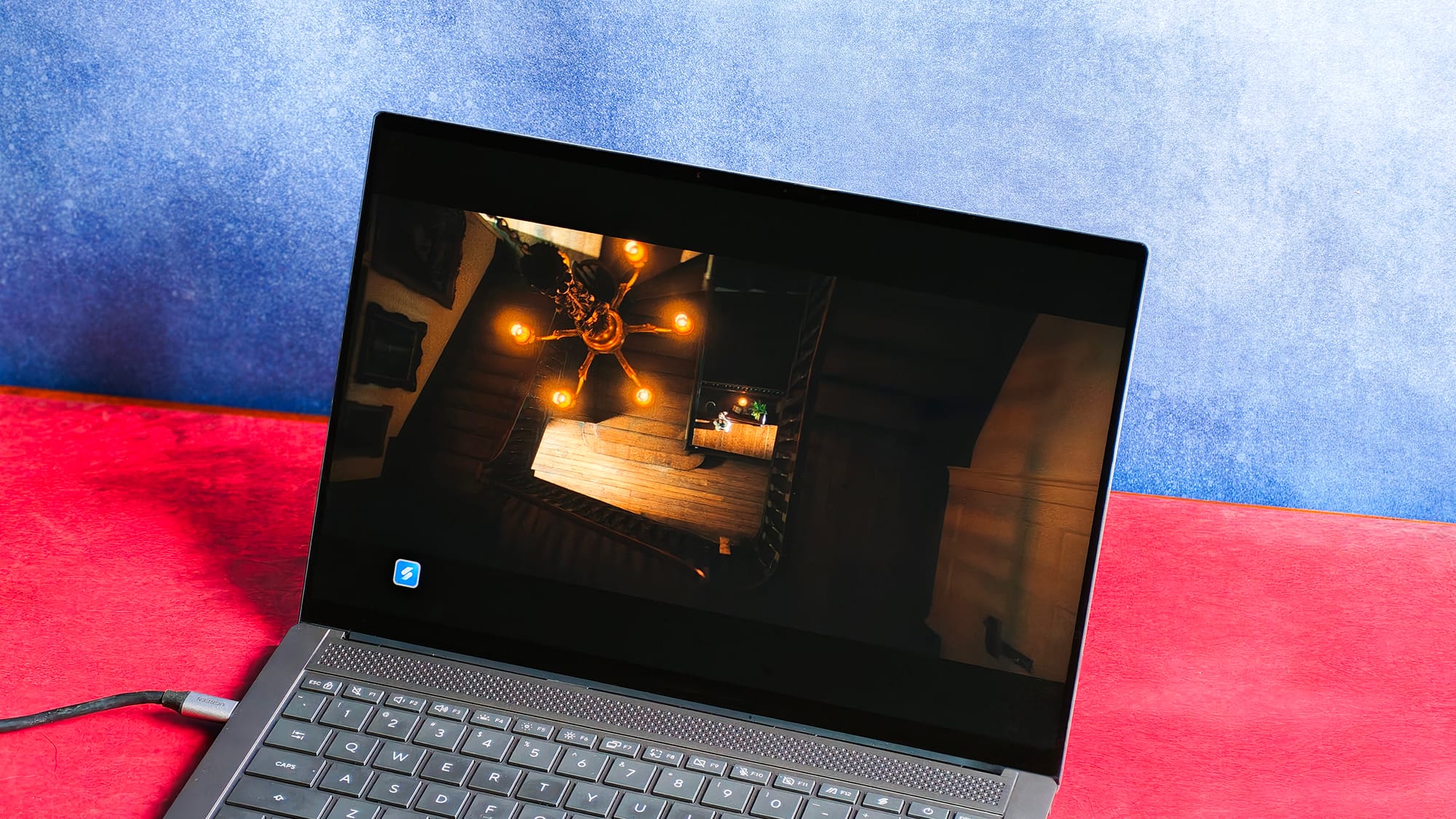
HDR is a mixed bag, and it's mostly Windows' fault. On YouTube, OLED-optimised clips looked superb, but some HDR videos had blown-out whites because YouTube only supports HDR10 and HLG.
Dolby Vision worked in the Netflix app for Windows and noticeably improved visibility in Beef S2, but it has to be toggled on from Windows settings, and the toggle gets disabled when you're on battery, which is genuinely annoying.
Keyboard: sturdy and "good enough"
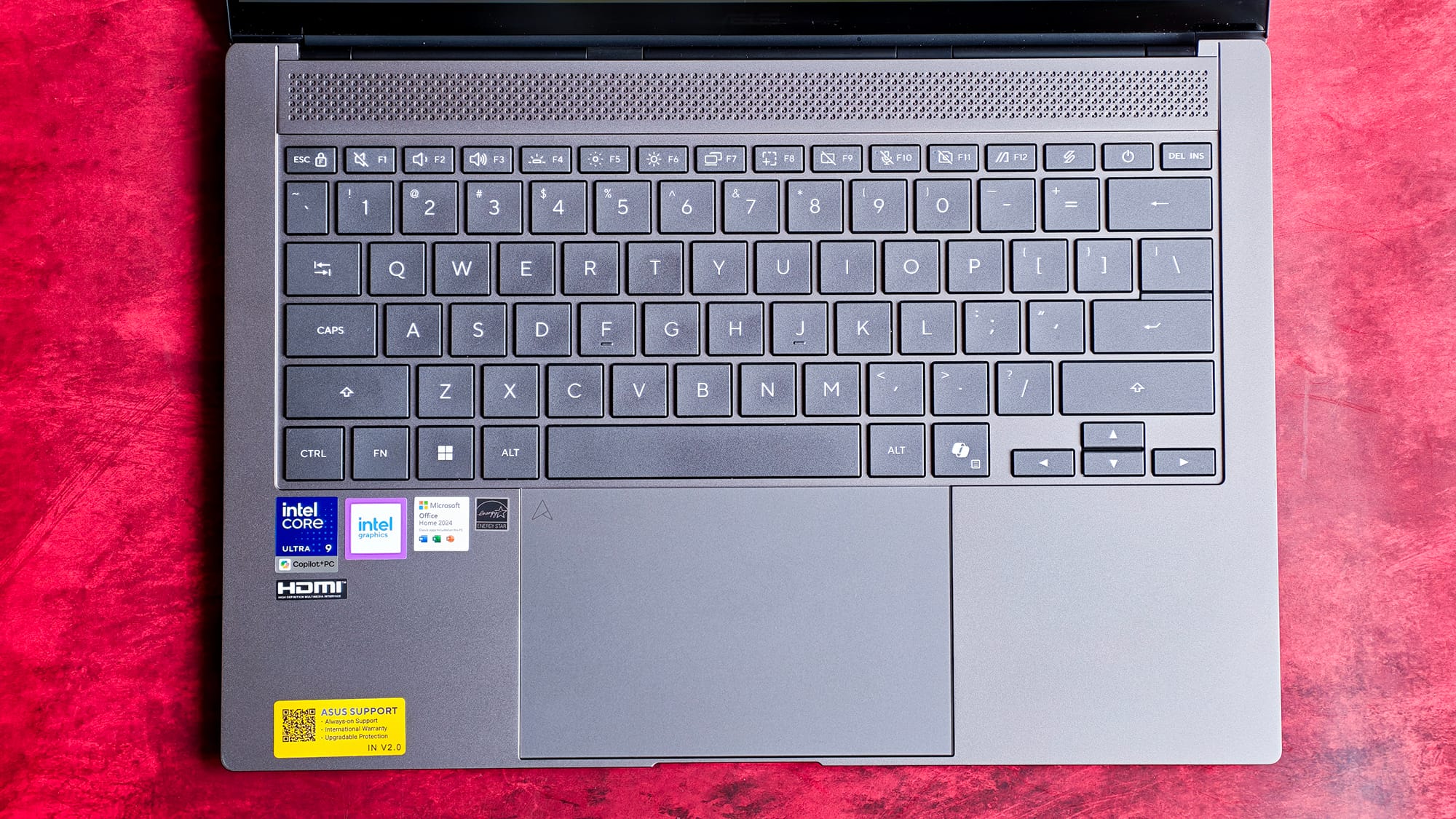
The backlit chiclet board gets a 75% layout (no numpad), and as a 14-inch MacBook user, I felt no cramping. The keys are well-sized, and I adapted almost immediately.
Travel is adequate, and the keys don't bottom out harshly. If anything, I'd have liked a slightly lower actuation force. There's zero deck flex and no noise beyond the usual chiclet clack, even when I bottom out.
Would I pick it over my MacBook's keyboard, or my Keychron K2V2 with brown switches and PBT keycaps? No. But if this were the only board I had, I wouldn't mind. It's "good enough" in the best sense.
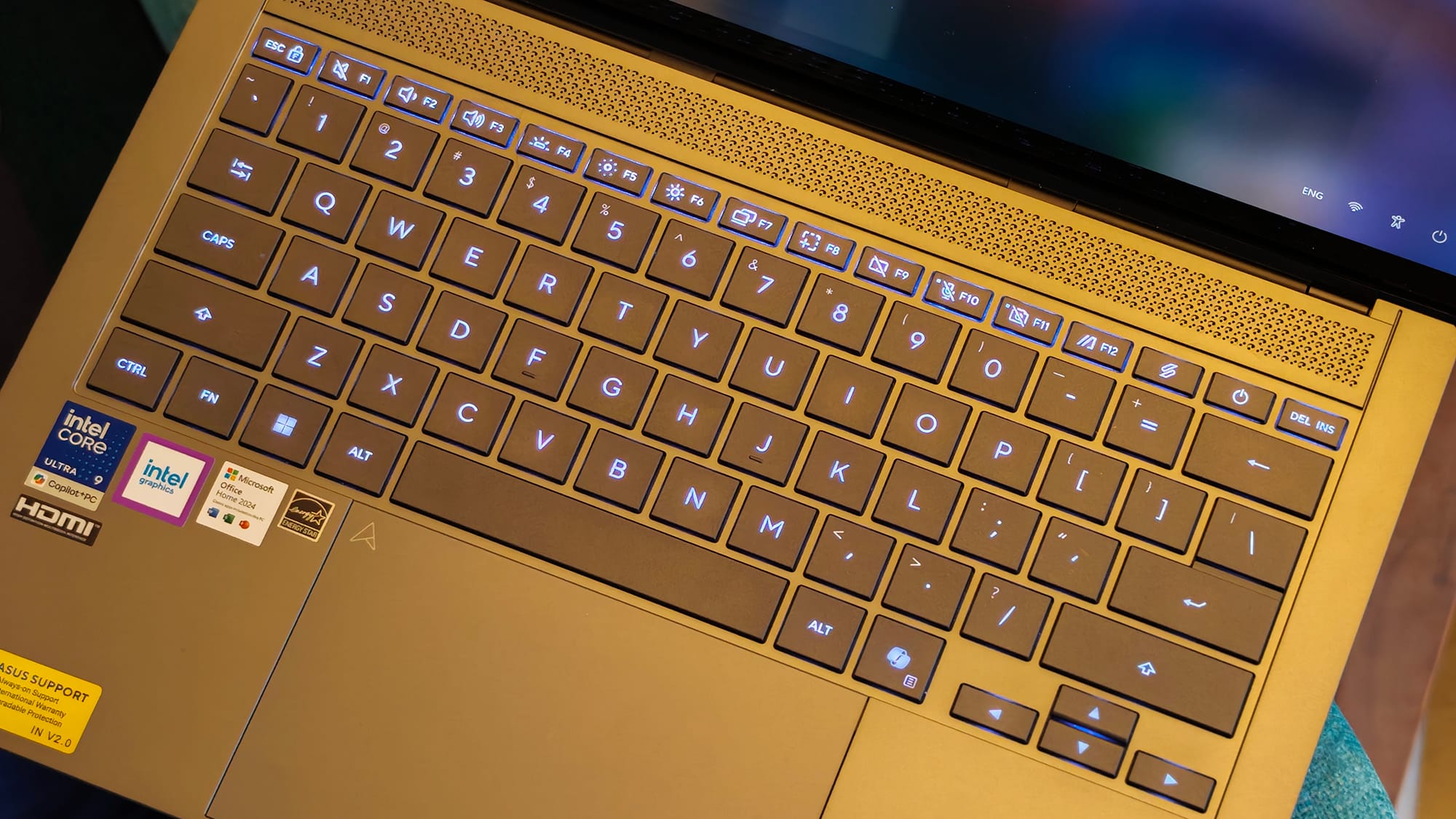
My real complaint is the backlight. You get four crude steps — off, low, medium, high — with no precision slider like macOS, and even the lowest setting is too bright in a dark room.
The cool-white tint isn't to my liking either. On a ₹2.5-lakh laptop, that's a cheap-feeling limitation. On the plus side, key legibility is excellent, and the auto-adjustment works fine.
Trackpad: premium-ish, but a touch sticky
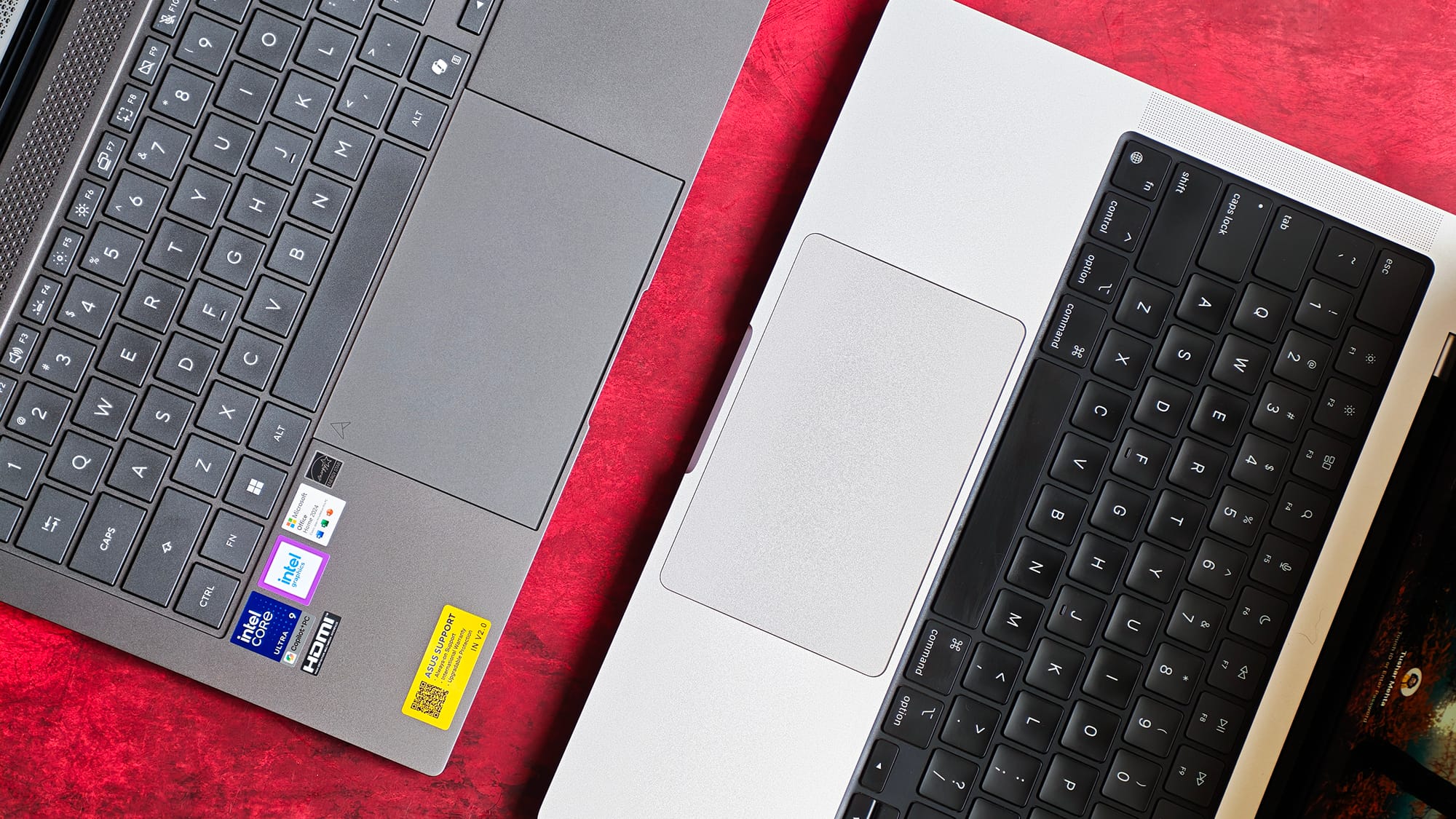
The trackpad feels a cut above the usual plasticky Windows pot, but the surface has a slightly sticky, resistive sensation to it that makes you feel you need to press harder. On very light strokes, it occasionally fails to register the initial movement. I
never had to use the physical click thanks to flawless tap-to-click and gestures, but anyone who does press down will find it stiff. While typing, palm rejection felt mostly fine.
There's no LED number pad on the trackpad in this variant, as there is on many ASUS laptops, but you do get edge gestures. Using these, you can swipe one side for brightness, the other for volume.
Multi-finger gestures are reliable too. While Apple's trackpad remains unbeaten, for what Windows offers, this is fine.
Speakers: the dealbreaker
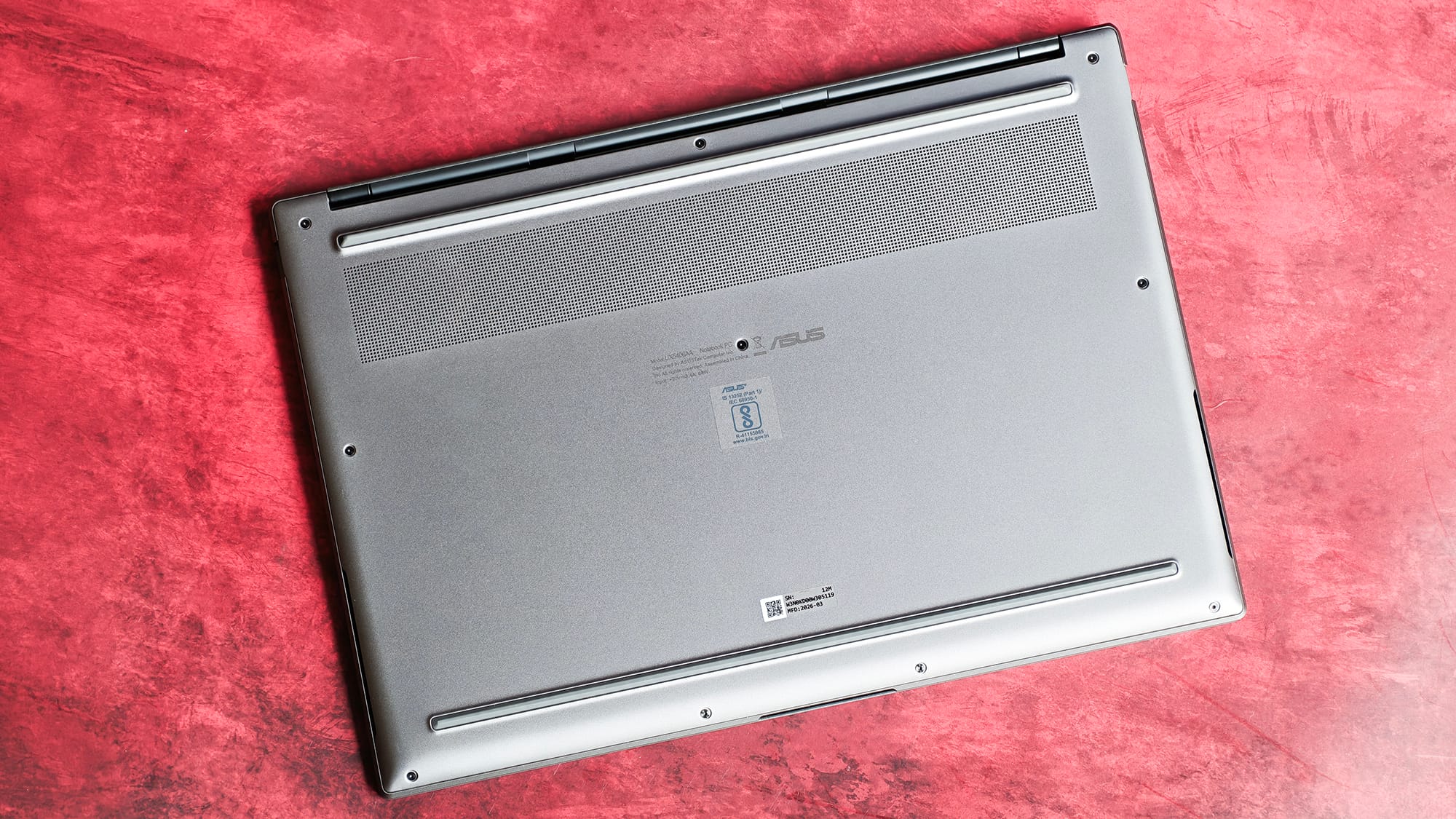
This is where the laptop loses me. The speakers fire from the sides under the palm rest, and they're simply not loud enough. The sound gets buried under the hum of an AC.
There's no bass to speak of, and listening to music is passable at best, with audio concentrated in the mids. On the positive side, that at least helps dialogue in YouTube videos.
The frequency response feels limited to roughly 200Hz–16kHz.
ASUS leans on "Smart Amp" here, but that's not a speaker upgrade. It's an amplifier with a DSP chip that pushes small drivers as loud as they can safely go while suppressing distortion.
There's no Dolby Atmos or Harman Kardon tuning on this model. I understand ASUS is courting executives, but that's no excuse to ship audio this thin — executives listen to music too, and expecting everyone to always have an external speaker on hand is unreasonable.
The array mic is okay, though the promised AI noise cancellation doesn't hold up well.
Performance, thermals, and gaming
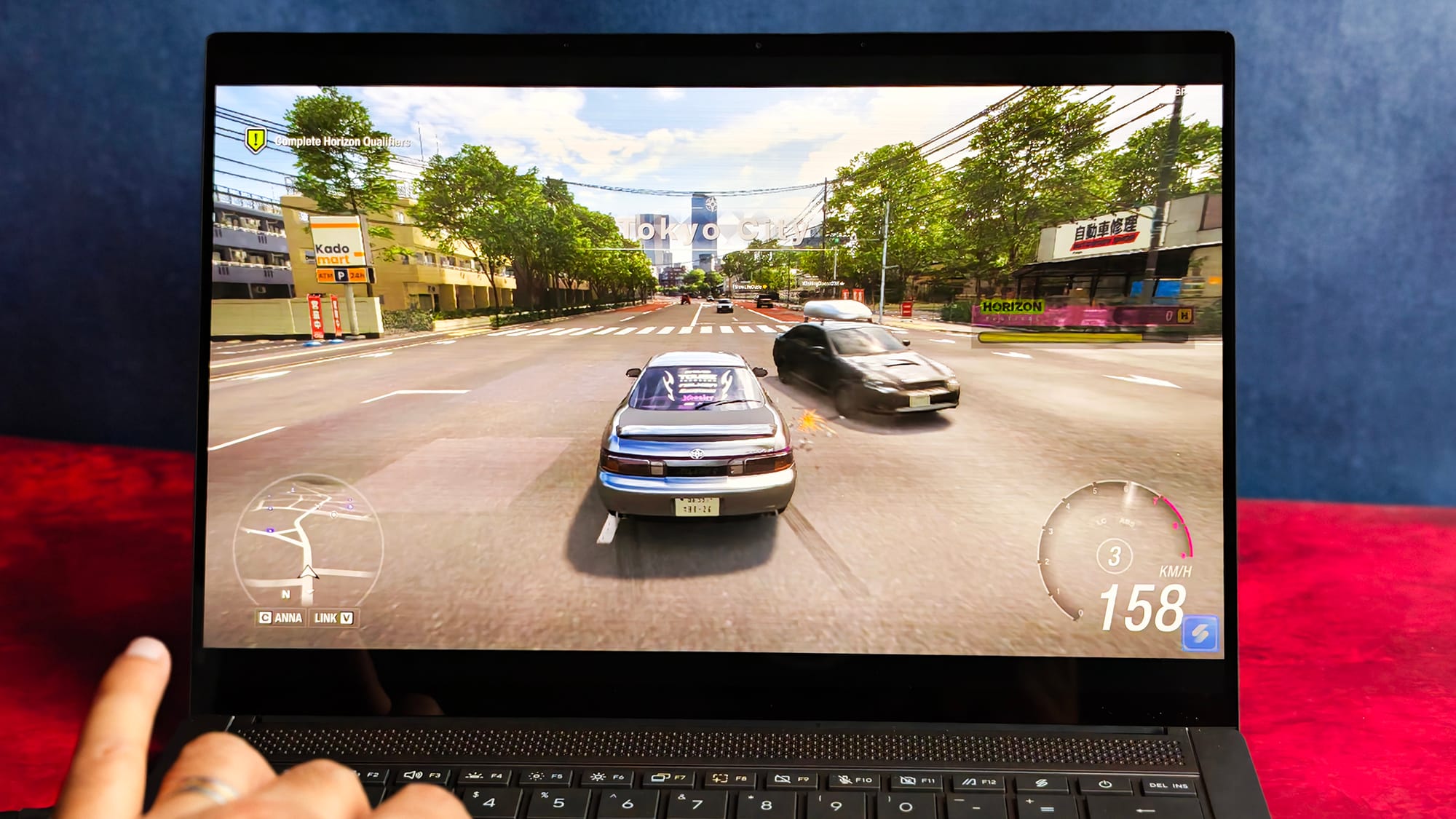
For my workload with 15 to 20 Chrome tabs, writing, and background agents, the Zenbook S14 felt consistently snappy. It boots quickly and feels fast from the moment you log in.
The 32GB of LPDDR5X leaves enough headroom for me to comfortably run local LLMs, including 26B-parameter variants of Qwen 3.6 and Gemma 4.
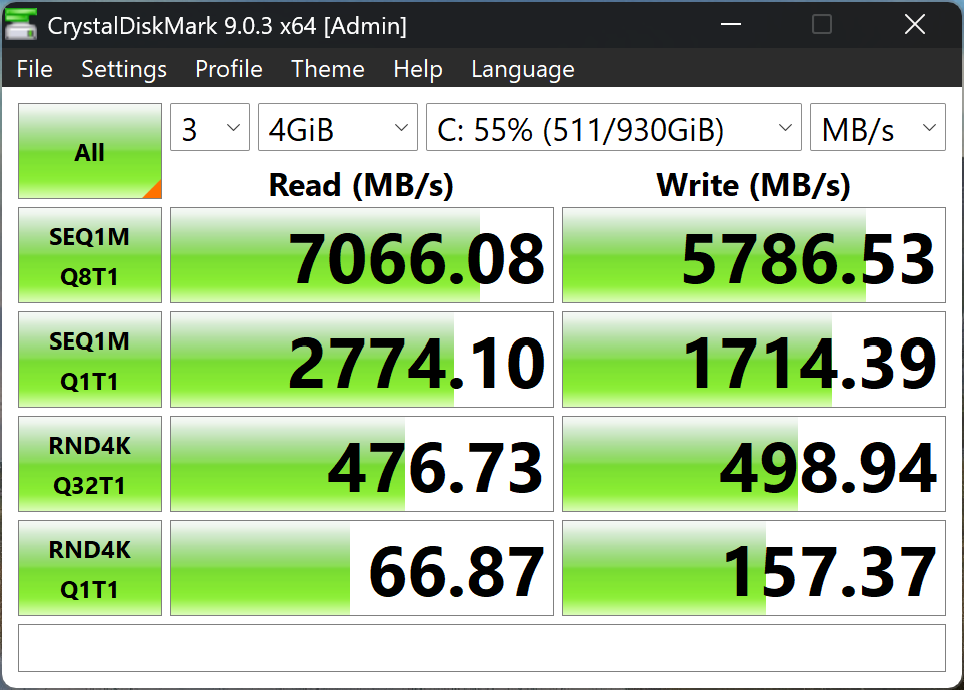
Storage is quick, too: CrystalDiskMark 9 reported over 5,000 MB/s in sequential reads and around 500 MB/s in random read/write.
3DMark and Cinebench R24 scores were satisfying too.
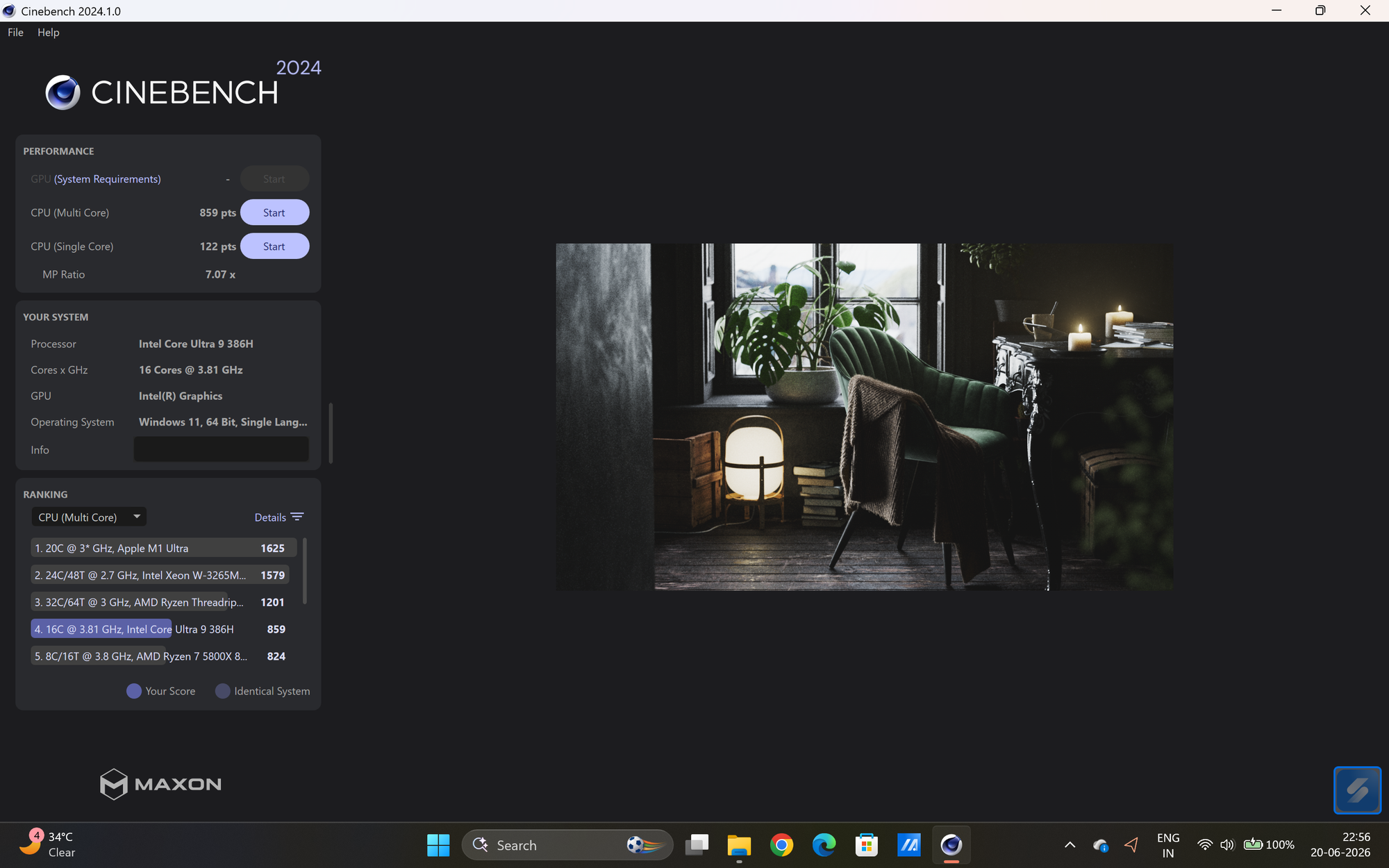
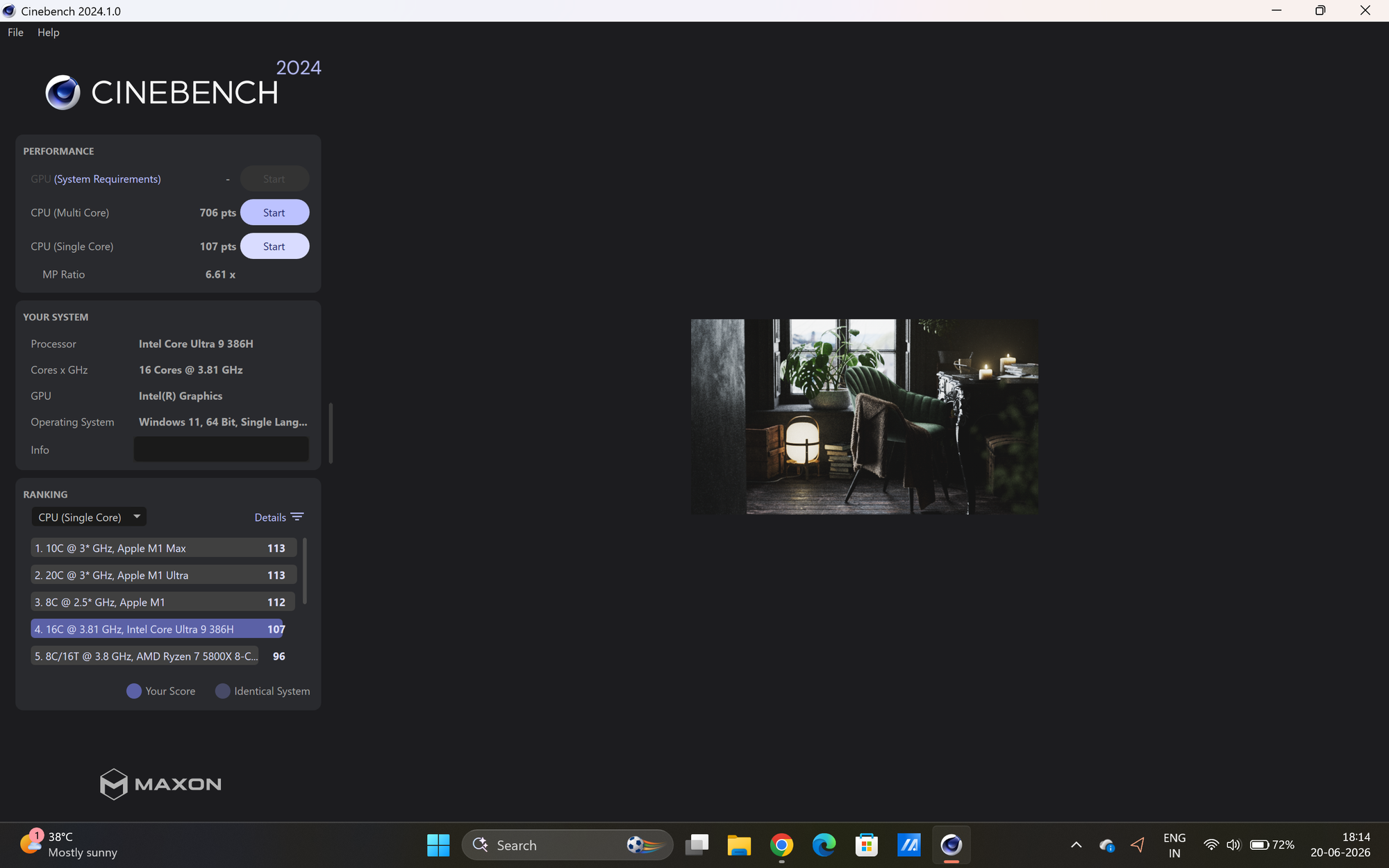
Cinebench R24 in High Performance (left) and Balanced Mode. Credits: Athenil Media
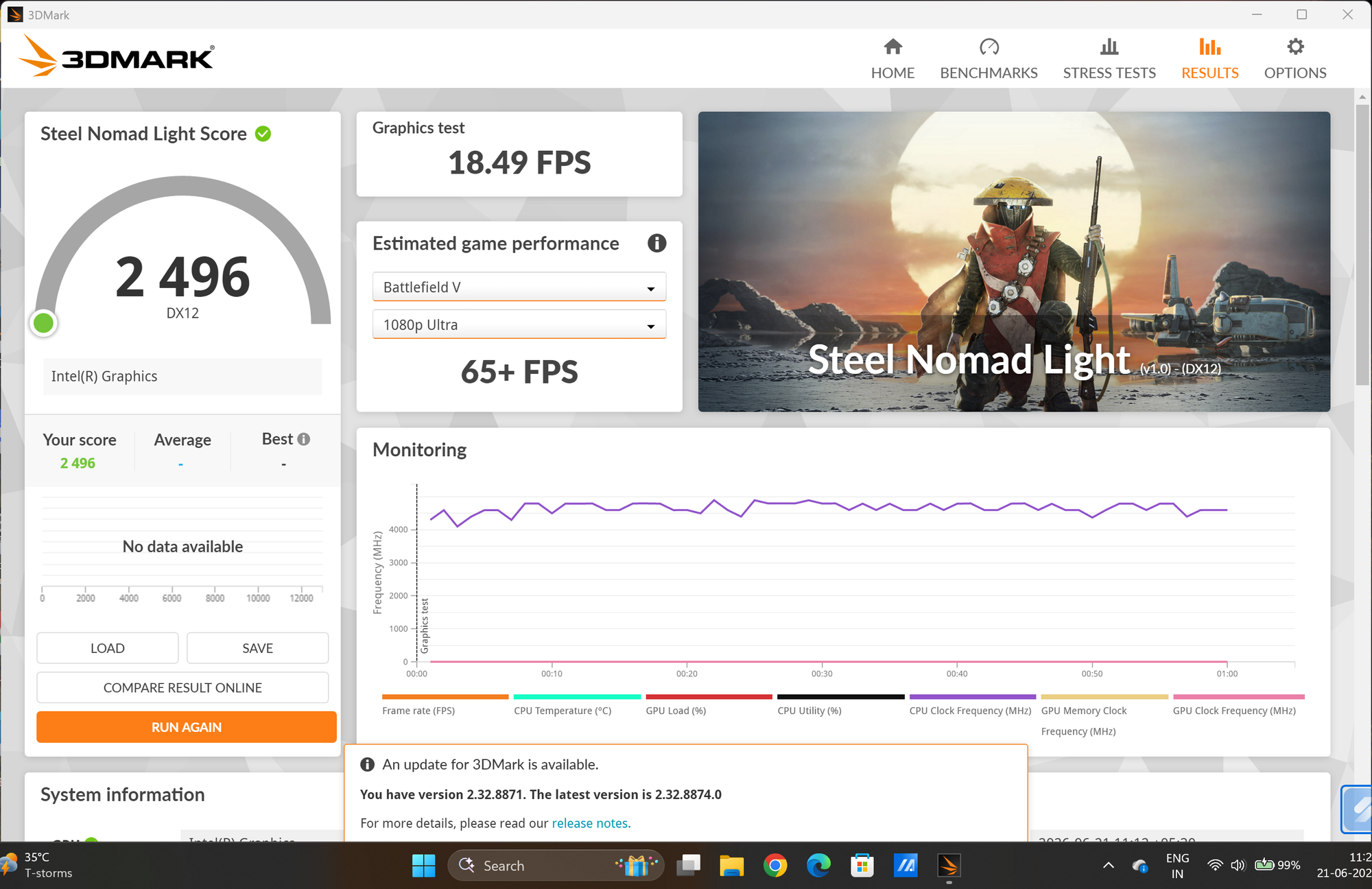
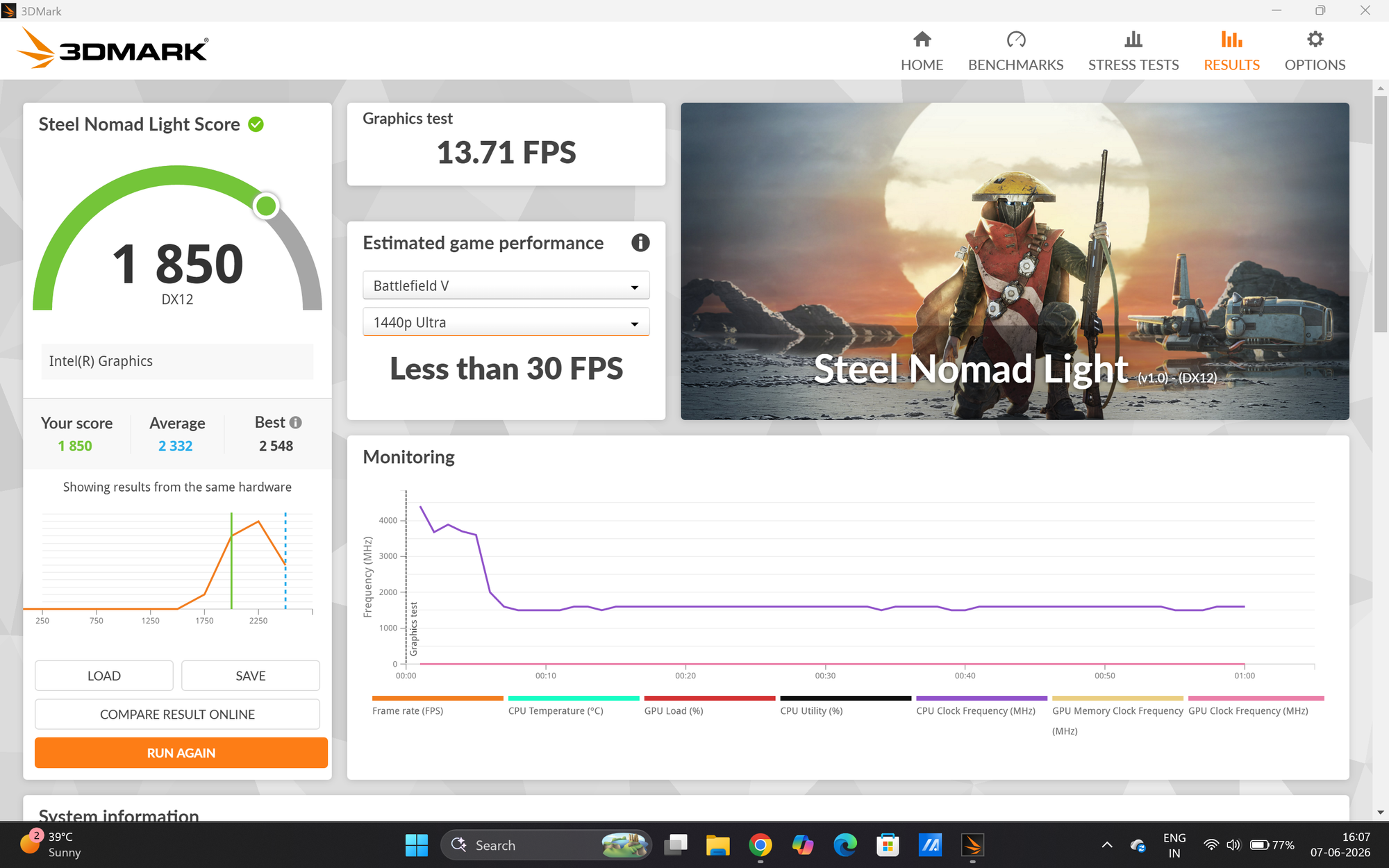
3DMark Steel Nomad Light in High Performance (left) and Balanced Mode. Credits: Athenil Media
It shows no distress under that everyday load, but this is emphatically not a machine for sustained heavy lifting. Push it, and the battery drains fast, temperatures climb immediately, and the (small) fans spin up. They're not loud, but they're not large either, so throttling is inevitable under any sustained gaming load.
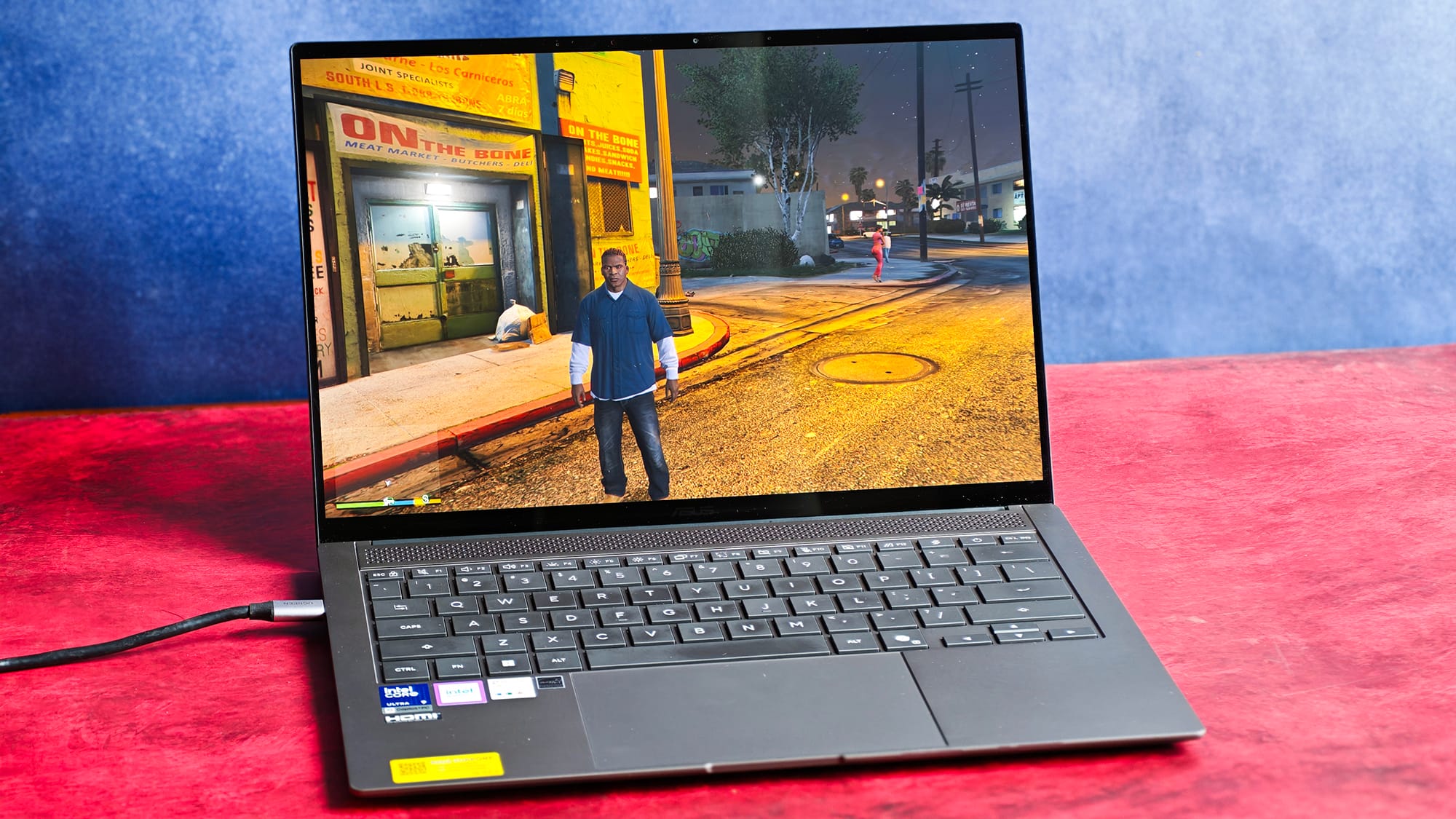
For gaming, I tried Forza Horizon 6, GTA V, and Split Fiction (co-op with my wife), and the best I managed was 50–60fps at 1366x768p. That leaves no real utility for anyone wanting to play.
The Intel Xe iGPU supports XeSS — Intel's upscaling tech similar to NVIDIA's DLSS, but I didn't see it make a meaningful difference here.
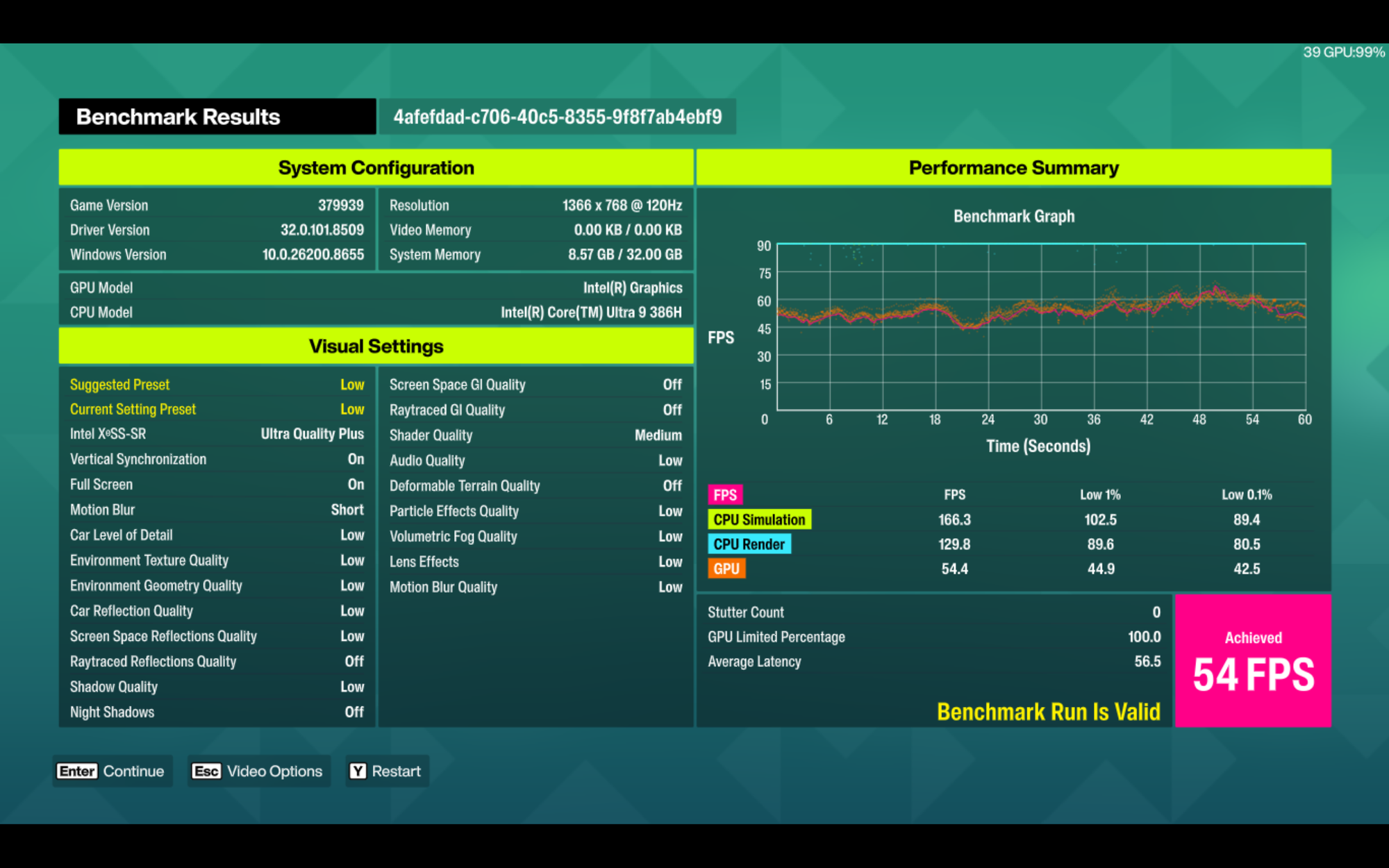
For the same money, the ROG Strix G16 I reviewed last year is a far better buy if you want frames, as is the 2026 Zephyrus G14 with an RTX 5060. That said, this laptop isn't designed for gaming, and for the occasional unwind, it's fine.
One forward-looking caveat: the RAM is soldered and not upgradeable, which I'd have appreciated for future agent workloads. Only the M.2 storage can be swapped (as confirmed in this teardown).
Battery and charging: good for the most part
For the battery on the Zenbook S14 OLED, ASUS quotes a frankly silly 27 hours. Reality is more grounded but still good. With the screen pinned at a measured 200nits playing a 4K HDR10 YouTube video, I got roughly 8 hours. I also wrote this entire 7-hour-plus review on a single charge.
For an OLED panel, which I kept at 120Hz the whole time with variable refresh enabled, that's genuinely the good kind of surprising.
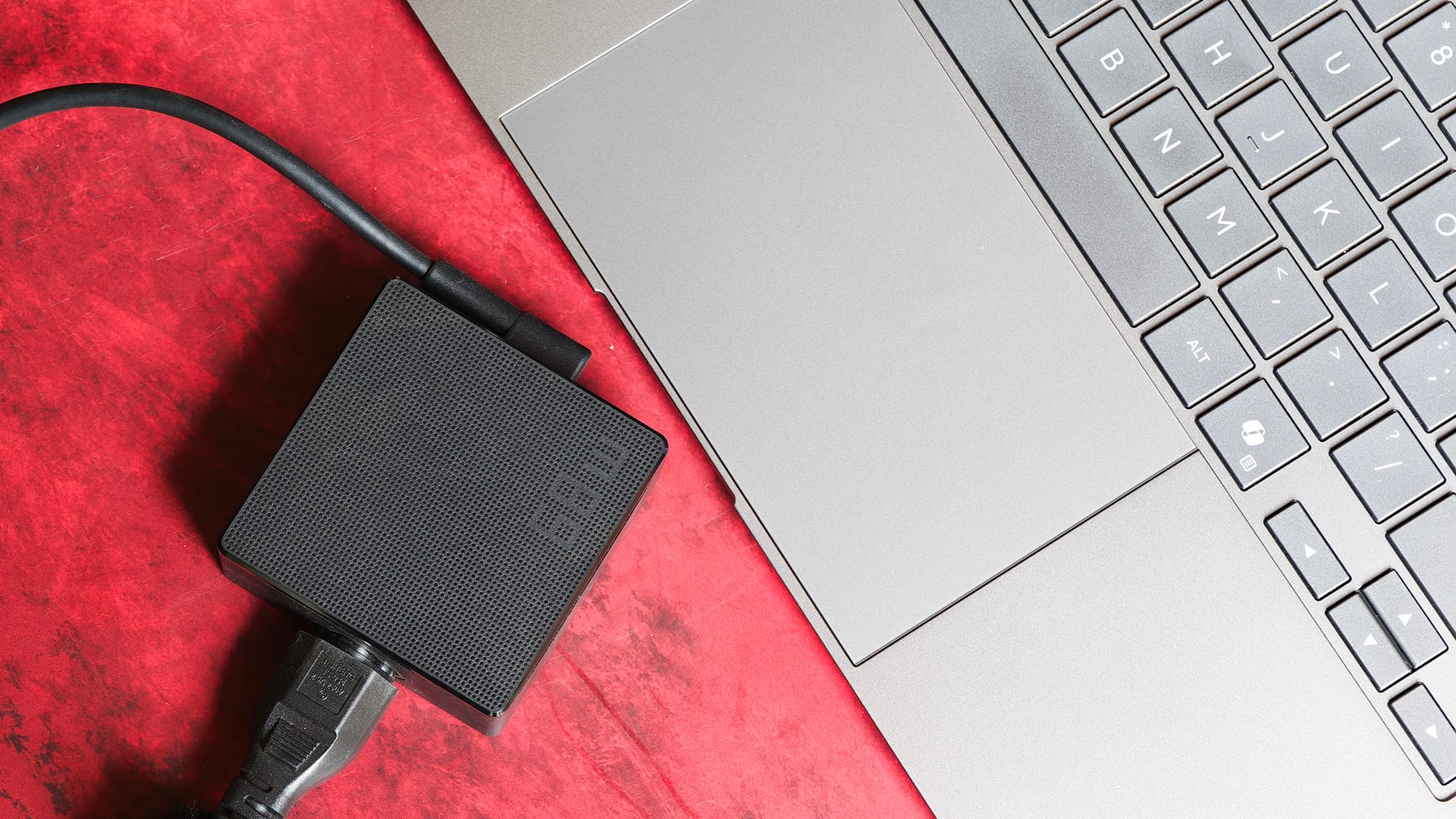
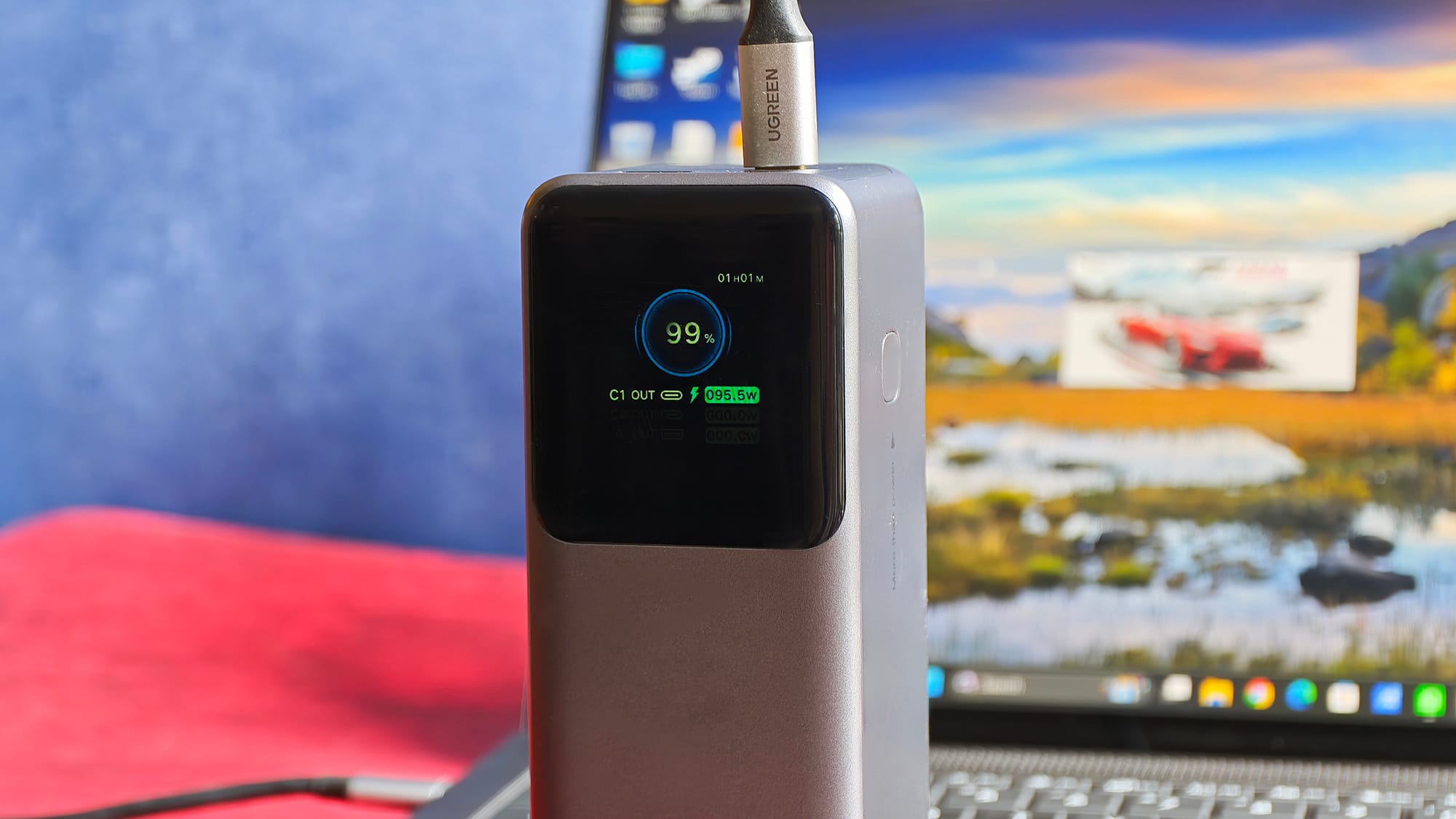
Charging is where ASUS skimps. The bundled 68W USB-C brick is a bottleneck, and Windows is quick to nag you're "using a slower charger" even with a ~40W unit. I found the 68W adapter inadequate and switched to a more powerful GaN charger, at which point the laptop pulled 96W and topped up fully in about 90 minutes when the laptop was left idle. The takeaway is that you might need a better charger.
I also noticed standby drain, and was more irritated that the laptop powered off overnight even while plugged in, despite setting it to never sleep when plugged in.
I/O, connectivity, and webcam
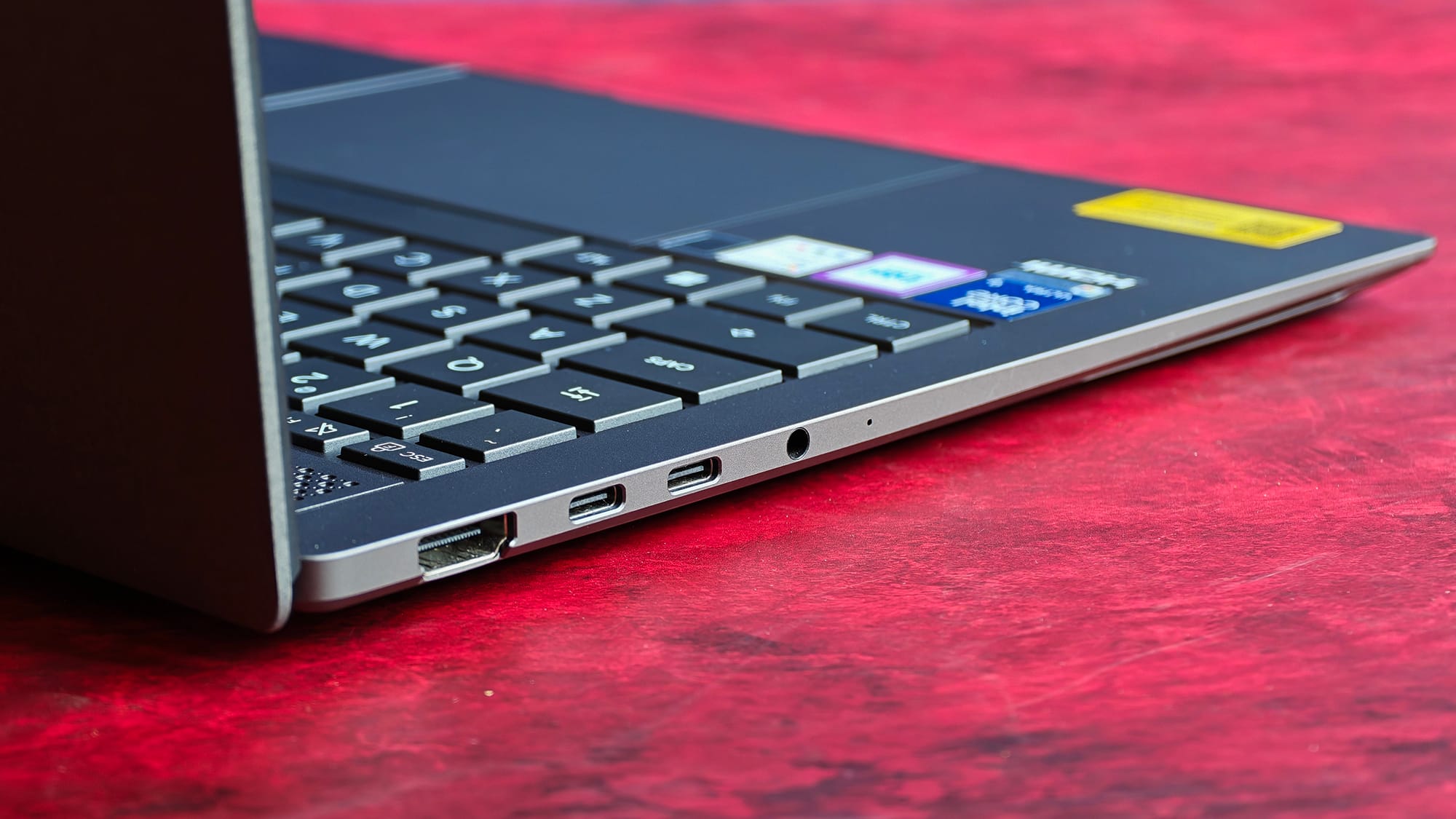
Port selection is strong for an ultrabook. The Zenbook gets:
- two Thunderbolt 4 ports,
- one USB-A port (rated for 10Gbps),
- an HDMI 2.1 port, and
- a 3.5mm jack.
The HDMI 2.1 in particular is welcome. My one real grievance is that both Thunderbolt 4 ports sit on the same side, and since charging also goes through USB-C with no dedicated power port, you're forced to route the cable to one side. I'd happily trade one port, HDMI or USB-A, to the opposite edge for desk flexibility.
Thankfully, I never needed a dongle, because I used Bluetooth for keyboard and mouse, the monitor over USB-to-DP, and the charger over USB-C.
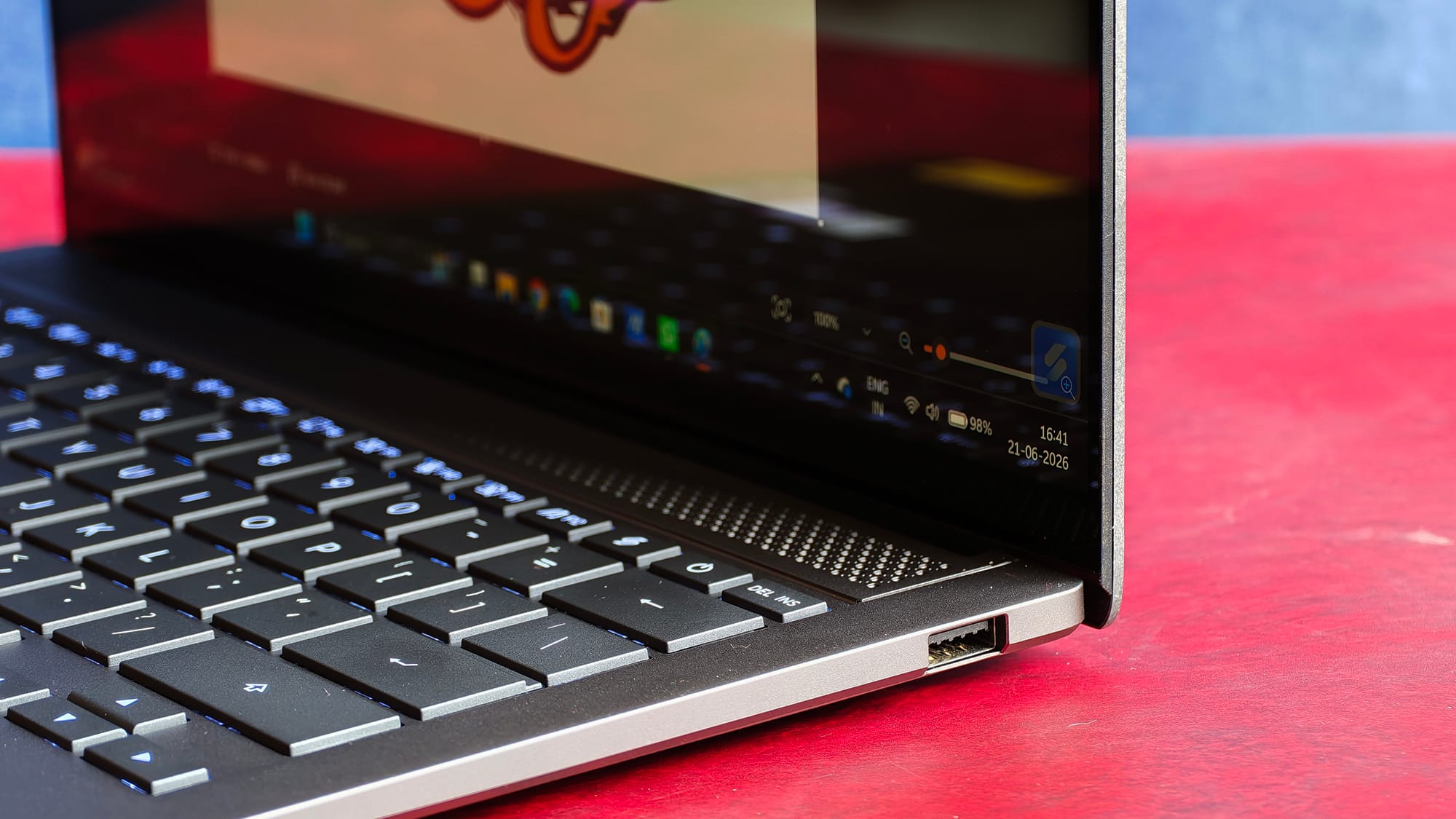
Wi-Fi was rock-solid. Bluetooth, however, hiccuped when adding new devices with three or four already paired. Classic Windows!
The webcam is FHD (1080p) on paper, but grainy enough to feel a class below; it's workable, not good. Windows Hello via infrared was as unreliable as ever: it only works at certain angles and only when you're about 2 feet away. In the dark, it sometimes ramps up screen brightness to see your face, defeating the entire purpose of an IR sensor.
I'd have far preferred a fingerprint reader because the current IR camera implementation feels less like a convenience and more like cost-cutting.
Software, AI, and value
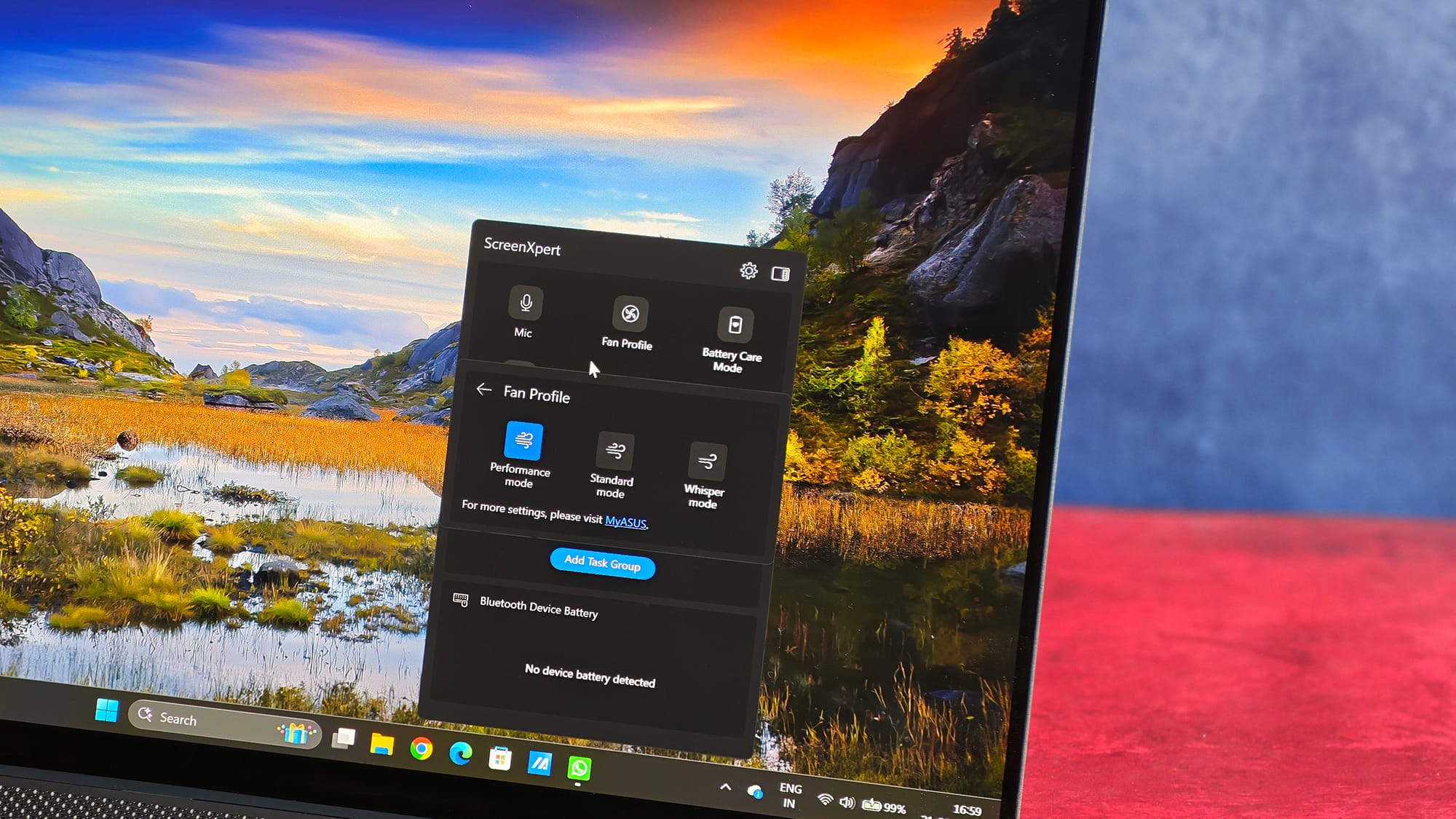
Bloat is mercifully minimal. MyASUS (which is genuinely useful) and ScreenXpert come preloaded, but neither nagged me. The only pestering came from Windows itself: OneDrive and Edge prompts, and a spammy news feed I wish I could fully kill, but those are Microsoft's doing, not ASUS'.
On the Copilot+ pitch: this is a 50-TOPS Copilot+ PC, but I'm not a fan of Copilot features and didn't use them. The NPU comes in handy for tasks, such as blurring the background in video calls and keeping my eyes glued to the screen. Your mileage will vary, but I don't think the AI branding adds anything here.
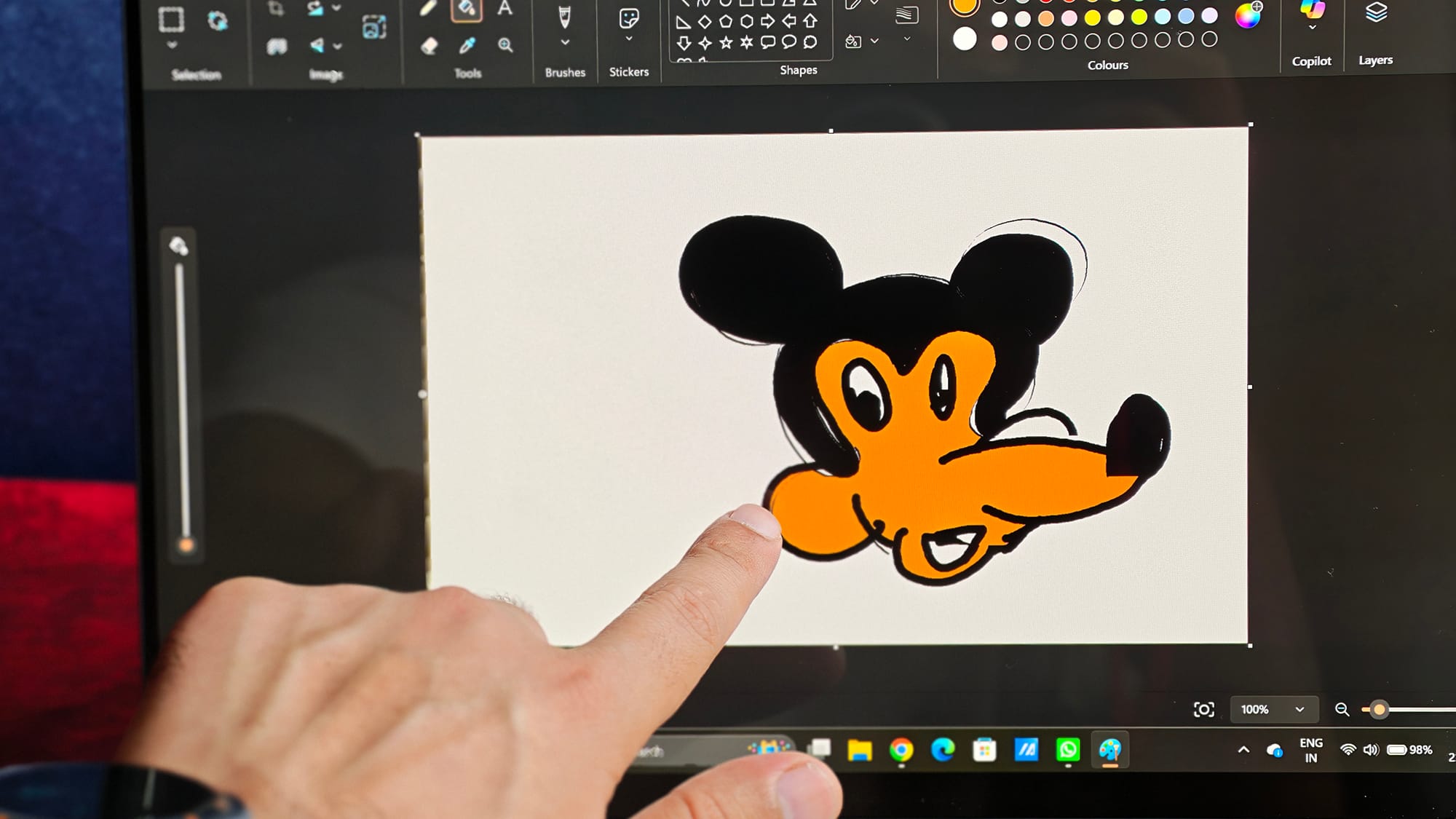
The display supports an MPP-based active stylus (the ASUS Pen 2 or 3), but not USI. But since there's no pen bundled in the box, I didn't test one.
Note also that my review unit shipped without the sleeve that ASUS lists in the box.
At ₹2,49,990, I think it could be a touch cheaper, but the Core Ultra 9 and 32GB of RAM are what push the price up. For context, it undercuts a comparably specced MacBook Pro: an M5 Pro model with 36GB lands around ₹3.5 lakh, while a 24GB config sits near ₹2.5 lakh — so you're getting more RAM here, plus an OLED touchscreen with deeper blacks than a Mini LED MacBook.
The MacBook still wins on plenty of other fronts, of course. And if gaming is the goal, a dedicated-GPU machine is the smarter buy. Warranty is a standard one year; with Samsung now offering Care+ on the competing Galaxy Book 6, I'd love to see ASUS introduce an Apple Care+ style plan at this tier.
Should you buy it?
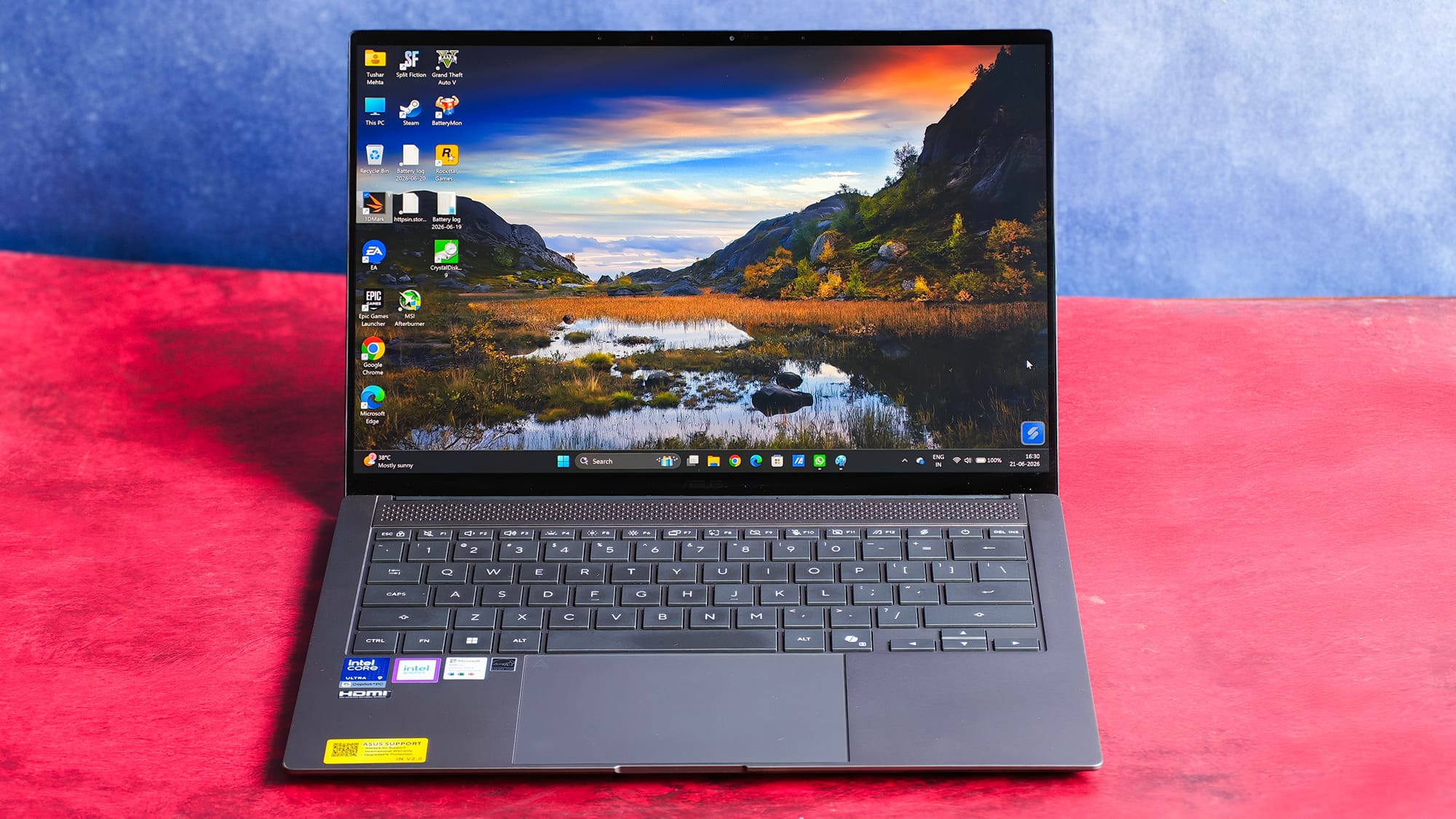
The Zenbook S14 is, for the most part, an easy laptop to live with. The display is gorgeous, the build is sublime, the battery outperforms expectations, and fast charging (with the right brick) is a genuine convenience.
My single dealbreaker is the speakers, which are thin, quiet, and unworthy of the price. The port layout with all Thunderbolt ports on one side is a minor irritation, and the IR camera is a letdown.
If you can route audio to headphones or speakers and you value portability and a stunning screen above all else, this is one of the most desirable Windows ultrabooks you can buy right now. If you can't, the compromise is harder to swallow.
Pros
- Impressive 3K OLED with true blacks
- Exceptional Ceraluminum build: light, rigid, fingerprint-resistant
- Strong real-world battery life and fast charging (with a beefier charger)
- Snappy everyday performance; 32GB handles local LLMs
- Minimal bloat; useful MyASUS suite
Cons
- Weak, bass-light speakers are the real dealbreaker
- Unreliable IR Windows Hello and grainy 1080p webcam
- Both Thunderbolt ports on one side, and an underpowered bundled 68W charger
- Soldered, non-upgradeable RAM
- No stylus in the box